

Harness the power of Vegeta with your JMeter Test Plans.
Write with JMeter. Attack with Vegeta. Report with JMeter.





vjm is a bridge engine that allows you to utilize Apache JMeter's .jmx test plans and reporting capabilities while executing the actual HTTP load generation using the high-performance Go-based tool, Vegeta.
While JMeter is a powerful tool for writing test scenarios, its JVM-based nature limits its performance under massive concurrent connections. vjm overcomes this limitation by preserving JMeter's rich ecosystem (GUI, functions, reports) while stably generating thousands of TPS using the Vegeta engine.
flowchart LR
    %% Styles
    classDef default fill:#f9f9f9,stroke:#333,stroke-width:1px,color:#333
    classDef highlight fill:#e1f5fe,stroke:#0288d1,stroke-width:2px,color:#01579b,font-weight:bold
    classDef engine fill:#fff3e0,stroke:#f57c00,stroke-width:2px,color:#e65100,font-weight:bold
    classDef vjm fill:#e8eaf6,stroke:#3f51b5,stroke-width:2px,color:#1a237e,font-weight:bold

    A["📄 JMeter .jmx<br/>(Test Plan)"]:::highlight -->|Parse| B("⚡ vjm<br/>(Core Engine)"):::vjm
    B -->|Generate Load| C{"🔥 Vegeta"}:::engine
    C -.->|.bin Result| D("⚡ vjm<br/>(Reporter)"):::vjm
    D -->|Convert| E["📊 .jtl File"]:::highlight
    D -->|Generate| F["📈 HTML Dashboard"]:::highlight
| JMX Parsing | Supports parsing of HTTPSamplerProxy, HeaderManager, ThreadGroup, UserDefinedVariables, UserParameters, and HTTP Request Defaults (ConfigTestElement) in JMeter .jmx files. |
| JMeter Function Evaluation | Supports built-in functions like ${__time(...)}, ${__RandomString(...)}, ${__P(...)}, ${__eval(...)}, ${__FileToString(...)}, etc. |
| Vegeta-based Load Generation | Utilizes the Vegeta engine, capable of handling thousands of TPS. Precise control via -r (Rate), -d (Duration), and -w (Workers) parameters. |
| Automatic JTL Conversion | Automatically converts Vegeta's binary results (.bin) into JMeter-readable CSV JTL format. |
| JMeter HTML Reports | Automatically generates JMeter dashboard HTML reports using the converted JTL. |
| Report-Only Mode | Regenerate reports independently at any time using existing .bin or .jtl files. |
| Single Binary Distribution | CGO disabled, no external library dependencies. Supports cross-compilation for Linux, macOS, Windows (amd64, arm64) and AIX (ppc64). |
| .properties File Support | Easily manage environment-specific parameters by specifying multiple JMeter-style .properties files. |
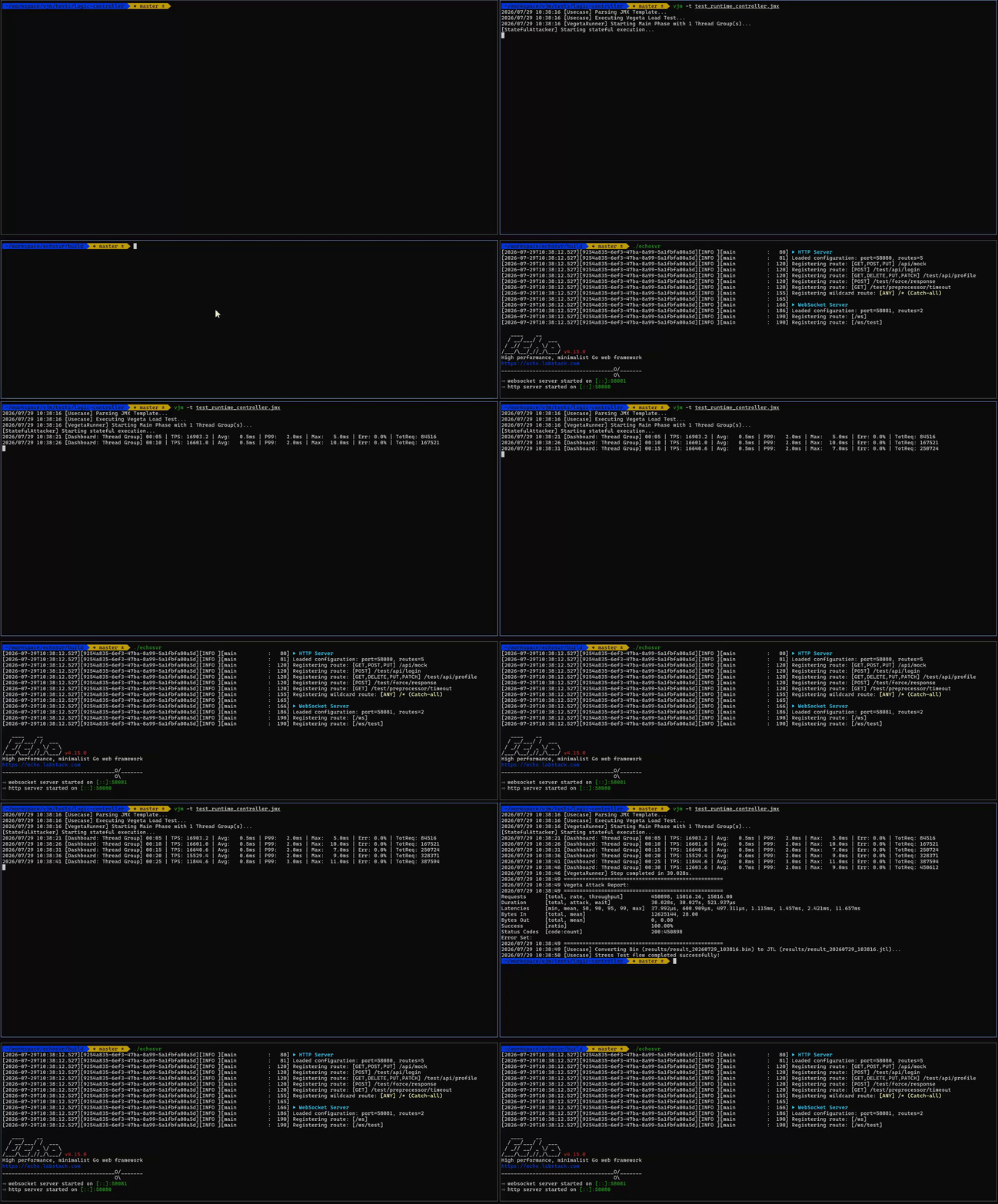
If you need a target backend to test vjm, you can use echosvr.
It is a lightweight mock server that supports HTTP and WebSocket endpoints, simulated latency, error responses, and custom headers.
# Basic run: Execute with default settings (1000 TPS, 30 seconds)
./vjm -t my_test.jmx

# Run with specific TPS, duration, and max workers
./vjm -t my_test.jmx -r 3000 -d 60s -w 200

# Inject external variables when the JMX scenario requires custom properties
./vjm -t my_test.jmx \
      -p sample1.properties \
      -p sample2.properties \
      -r 5000 -d 30s -w 300

# Specify custom result file path
./vjm -t my_test.jmx -r 1000 -d 10s -l ./results/my_result.bin

# Force CLI rate, duration, and worker options, ignoring JMX Thread Group configuration
# (e.g., Useful for overriding Stepping Thread Group scenarios to forcefully apply CLI options)
./vjm -t my_test.jmx -r 2000 -d 30s -w 100 -f./vjm -t my_test.jmx \
-r 3000 -d 60s -w 200 \
-e ./html-reportAfter execution, check the JMeter dashboard at ./html-report/report_<timestamp>/index.html.
Note: To generate HTML reports using the
-eoption, Apache JMeter must be installed on your system. (Load testing itself does not require JMeter).
If you already have a .bin or .jtl file, you can generate a report without running a load test.
# Convert .bin to JTL + Generate HTML report
./vjm -g results/result_20260701_110632.bin -e ./html-report

# If you already have a .jtl file: Skip JTL conversion, generate report only
./vjm -g results/result_20260701_110632.jtl -e ./html-reportYou can install vjm using one of the following methods.
You can easily install vjm using Homebrew via our custom tap:
brew tap xvlet/vjm
brew install vjmThe easiest way to install the latest release is by using the provided installation scripts for your operating system.
macOS / Linux / AIX (Shell)
curl -fsSL https://raw.githubusercontent.com/xvlet/vjm/master/install.sh | shWindows (PowerShell)
powershell -ExecutionPolicy Bypass -c "irm https://raw.githubusercontent.com/xvlet/vjm/master/install.ps1 | iex"If you have Go (1.25+) installed, you can easily install vjm via go install:
go install github.com/xvlet/vjm/cmd/vjm@latestIf you don't have Go installed and just want to use the executable, download the latest pre-built release.
After downloading, extract the archive and run it:
tar -xzf vjm_linux_amd64.tar.gz
chmod +x vjm
./vjm -hYou can run vjm using Docker without installing anything on your host. Our official images are published to the GitHub Container Registry (GHCR).
You can verify it works by running the help command:
docker run --rm ghcr.io/xvlet/vjm -hTo run a load test, you need to mount your local directory (where your .jmx file is located) into the container.
Note: Since load test reports and logs require accurate timestamps, it is highly recommended to mount your host's timezone by passing the -e TZ environment variable:
# On Linux/macOS
docker run --rm -v $(pwd):/app -w /app -e TZ=Asia/Seoul ghcr.io/xvlet/vjm -t my_test.jmx

# Windows (PowerShell) Environment
docker run --rm -v ${PWD}:/app -w /app -e TZ=Asia/Seoul ghcr.io/xvlet/vjm -t my_test.jmxvjm is a statically compiled Go binary with no external dependencies required to run a load test.
| Tool | Purpose | Installation Check |
|---|---|---|
| Apache JMeter | HTML report generation (Optional) | $JMETER_HOME/bin/jmeter -v |
Note: JMeter is only required when generating HTML reports (
-eoption). It is not needed to execute the load test itself. Vegeta is embedded directly into thevjmengine.
Usage: vjm -t <plan.jmx> [-p props.properties] -r 3000 -d 60s
       vjm -g <result.bin|result.jtl> -e <report_dir>

Options:
  -t string
        Path to JMeter .jmx file (Required for load testing mode)

  -r, -rate int
        Requests per second (TPS). Default: 1000

  -d, -duration string
        Test duration. e.g., 30s, 1m, 5m. Default: 30s

  -w, -workers int
        Max concurrent workers. 0 means use default (10000)

  -p string
        Path to .properties file. Can be specified multiple times
        e.g., -p sample1.properties -p sample2.properties

  -l string
        Path to save the result binary (.bin).
        Default: results/result_YYYYMMDD_HHMMSS.bin

  -e, -export string
        HTML report output directory.
        Reports are generated under <dir>/report_<timestamp>/

  -g, -report-only string
        Generate a report from an existing .bin or .jtl file.
        Must be used with the -e option

  -f, -force-cli
        Force CLI rate and duration, ignoring JMX Thread Group configuration (like Stepping configurations).

  -jmeter-home string
        JMETER_HOME path. Automatically references the $JMETER_HOME environment variable
After running a test, the following files are generated:
results/
├── result_20260701_110632.bin    # Vegeta binary result (original)
└── result_20260701_110632.jtl    # JMeter-compatible CSV (JTL format)

html-report/
└── report_20260701_110632/
    ├── index.html                # JMeter Dashboard Main Page
    ├── content/
    │   ├── pages/                # Detailed statistics pages
    │   └── js/                   # Chart data
    └── sbadmin2-1.0.7/           # Dashboard CSS/JS
Uses the standard JMeter properties file format.
(If multiple -p options are specified, they are loaded sequentially. Duplicate keys will be overwritten by the values in the later files.)
# sample1.properties
target.host=127.0.0.1
target.port=9998
target.path=/api/v1/testapi

# Referenced in JMeter functions as ${__P(target.host)}
# sample2.properties
api.key=AKIAIOSFODNN7EXAMPLE
auth.token=eyJhbGciOiJIUzI1NiIsInR...
test.user.id=tester_001Evaluates standard JMeter functions used within the .jmx file.
Click to expand the full list of supported JMeter functions
| Function | Description | Example |
|---|---|---|
${__time(format)} |
Current time. If no args, returns Unix ms | ${__time(yyyyMMdd)} |
${__RandomString(len,chars)} |
Generates a random string | ${__RandomString(10,ABC123)} |
${__P(key,default)} |
References a properties value | ${__P(target.host,localhost)} |
${__eval(expr)} |
Re-evaluates an expression | ${__eval(${myVar})} |
${__FileToString(path)} |
Loads file contents as a string | ${__FileToString(body.json)} |
${__UUID()} |
Generates a UUID v4 | ${__UUID()} |
${__property(key,var,def)} |
References a property (can be saved) | ${__property(target.host,MYVAR,localhost)} |
${__V(varName,def)} |
Evaluates a variable name | ${__V(A_${N})} |
${__Random(min,max,var)} |
Generates a random integer | ${__Random(1,100,MYVAR)} |
${__intSum(a,b,var)} |
Adds multiple integers | ${__intSum(2,5,MYVAR)} |
${__longSum(a,b,var)} |
Adds multiple long integers | ${__longSum(2,5,MYVAR)} |
${__urlencode(str)} |
URL encodes a string | ${__urlencode(${myVar})} |
${__urldecode(str)} |
URL decodes a string | ${__urldecode(${myVar})} |
${__toLowerCase(str,var)} |
Converts string to lowercase | ${__toLowerCase(HELLO)} |
${__toUpperCase(str,var)} |
Converts string to uppercase | ${__toUpperCase(hello)} |
${__escapeHtml(str)} |
Escapes HTML characters | ${__escapeHtml(<b>Test</b>)} |
${__unescapeHtml(str)} |
Unescapes HTML characters | ${__unescapeHtml(<b>Test</b>)} |
${__machineIP()} |
Returns local IP address | ${__machineIP()} |
${__machineName()} |
Returns local host name | ${__machineName()} |
${__md5(str,var)} |
Computes MD5 hash | ${__md5(hello)} |
${__digest(algo,str,salt,upper,var)} |
Computes hash (MD5, SHA-1, SHA-256, SHA-512) | ${__digest(SHA-256,hello)} |
${__split(str,var,delim)} |
Splits string into variables | ${__split(a\,b\,c,MYVAR,\,)} |
${__dateTimeConvert(date,src,tgt,var)} |
Converts date format | ${__dateTimeConvert(01012026,ddMMyyyy,yyyy-MM-dd)} |
${__substring(str,begin,end,var)} |
Returns substring | ${__substring(hello,0,2)} |
${__isPropDefined(key)} |
Tests if property exists | ${__isPropDefined(target)} |
${__isVarDefined(var)} |
Tests if variable exists | ${__isVarDefined(MYVAR)} |
${__setProperty(key,val,ret)} |
Sets property value | ${__setProperty(target,localhost,false)} |
${__counter(TRUE/FALSE,var)} |
Global or per-thread counter | ${__counter(FALSE,MYVAR)} |
${__CSVRead(file,col|next)} |
Reads CSV column | ${__CSVRead(test.csv,0)} |
${__evalVar(var)} |
Evaluates expression in variable | ${__evalVar(MYVAR)} |
${__changeCase(str,mode,var)} |
Changes case (UPPER/LOWER/CAPITALIZE) | ${__changeCase(hello,UPPER)} |
${__char(num...)} |
Generates Unicode char from number | ${__char(0x41)} |
${__XPath(file,expr)} |
Use an XPath expression to read from a file | ${__XPath(data.xml,//node)} |
${__threadNum()} |
Returns the current thread (virtual user) number (1-based) | ${__threadNum()} |
${__samplerName(var)} |
Returns the current sampler name; optionally stores in variable | ${__samplerName(SNAME)} |
${__StringFromFile(file,var)} |
Reads lines from a file sequentially (round-robin, thread-safe) | ${__StringFromFile(data.txt,LINE)} |
${__regexFunction(...)} |
Regex extraction (returns default value in vjm; use Regex Extractor instead) | ${__regexFunction(regex,tmpl,match,def)} |
${varName} |
Variable reference | ${target.host} |
- SteppingThreadGroup Support: Implement JMeter's stepped load increase scenarios
- Multi-Sampler Support: Handle multiple HTTPSamplers within a ThreadGroup based on weights
- Stateful Variable Chaining (Extractors): Support sequential scenarios by extracting values from previous responses and injecting them into subsequent requests
- JMeter CSV DataSet Support: Inject different parameters per request from a
CSVDataSet - WebSocket Support: Integration for WS protocol load testing
- Real-time Console Dashboard: Real-time TPS / response time monitoring during tests
Click to view detailed component support status
- Flow Control Action
- HTTP Request
- Debug Sampler
[ ] JSR223 Sampler(Excluded - Requires heavy JVM scripting engine)[ ] AJP/1.3 Sampler(Excluded - Tomcat-specific legacy protocol, non-HTTP)- Access Log Sampler
[ ] BeanShell Sampler(Excluded - Legacy Java scripting, performance bottleneck)[ ] Bolt Request(Excluded - Database protocol, non-HTTP)[ ] FTP Request(Excluded - Legacy protocol, non-HTTP)- GraphQL HTTP Request
[ ] JDBC Request(Excluded - Database protocol, non-HTTP)[ ] JMS Point-to-Point(Excluded - Message queue oriented, non-HTTP)[ ] JMS Publisher(Excluded - Message queue oriented, non-HTTP)[ ] JMS Subscriber(Excluded - Message queue oriented, non-HTTP)[ ] JUnit Request(Excluded - JVM dependency)[ ] Java Request(Excluded - Requires loading custom JVM classes)[ ] LDAP Extended Request(Excluded - Non-HTTP)[ ] LDAP Request(Excluded - Non-HTTP)[ ] Mail Reader Sampler(Excluded - Non-HTTP)- OS Process Sampler
[ ] SMTP Sampler(Excluded - Non-HTTP)[ ] TCP Sampler(Excluded - Non-HTTP)
- Thread Group (Standard)
- jp@gc - Stepping Thread Group
- Open Model Thread Group
- bzm - Concurrency Thread Group
- jp@gc - Ultimate Thread Group
- bzm - Arrivals Thread Group
- bzm - Free-Form Arrivals Thread Group
- setUp Thread Group
- tearDown Thread Group
- If Controller
- Transaction Controller
- Loop Controller
- While Controller
- Critical Section Controller
- ForEach Controller
- Include Controller
- Interleave Controller
- Once Only Controller
- Random Controller
- Random Order Controller
- Recording Controller
- Runtime Controller
- Simple Controller
- Throughput Controller
- Module Controller
- Switch Controller
- HTTP Header Manager
- HTTP Request Defaults
- User Defined Variables
- CSV Data Set Config
- HTTP Cookie Manager
- HTTP Cache Manager
[ ] Bolt Connection Configuration(Excluded - JVM dependent)- Counter
- DNS Cache Manager
[ ] FTP Request Defaults(Excluded - Non HTTP)- HTTP Authorization Manager
[ ] JDBC Connection Configuration(Excluded - JVM dependent)[ ] Java Request Defaults(Excluded - JVM dependent)[ ] Keystore Configuration(Excluded - JVM dependent)[ ] LDAP Extended Request Defaults(Excluded - JVM dependent)[ ] LDAP Request Defaults(Excluded - JVM dependent)[ ] Login Config Element(Excluded - Non HTTP)- Random Variable
[ ] Simple Config Element(Excluded - overlaps with UDV)[ ] TCP Sampler Config(Excluded - non-HTTP)
- View Results Tree (File output only)
- Summary Report (File output only)
- Aggregate Report (File output only)
- Backend Listener (InfluxDB Line Protocol v1/v2 transmission implemented; 5-second interval push)
- Aggregate Graph (File output only)
- Assertion Results (File output only)
- Comparison Assertion Visualizer (File output only)
- Generate Summary Results (Replaced by default vjm/Vegeta output)
- Graph Results (File output only)
[ ] JSR223 Listener(Excluded - JVM/Groovy script dependent)- Mailer Visualizer (Implemented: File output & actual SMTP email sending)
- Response Time Graph (File output only)
- Save Responses to a file (Parsed and actual individual file saving supported)
- Simple Data Writer (Supports parsing and JTL file output)
- View Results in Table (File output only)
[ ] BeanShell Listener(Excluded - JVM dependent)
- Constant Timer
- Uniform Random Timer
- Precise Throughput Timer (Mapped to Vegeta Pacer)
- Constant Throughput Timer (Mapped to Vegeta Pacer)
- Gaussian Random Timer
[ ] JSR223 Timer(Excluded - JVM dependent script)- Poisson Random Timer
- Synchronizing Timer
[ ] BeanShell Timer(Excluded - JVM dependent script)
- User Parameters
[ ] JSR223 PreProcessor(Excluded - JVM/Groovy script dependent)- HTML Link Parser (Not recommended due to performance overhead, use Regex Extractor instead)
- HTTP URL Re-writing Modifier (Not recommended due to performance overhead, use Regex Extractor instead)
[ ] JDBC PreProcessor(Excluded - JVM/JDBC dependent)- RegEx User Parameters
- Sample Timeout
[ ] BeanShell PreProcessor(Excluded - JVM dependent)
- JSON Extractor
- Regular Expression Extractor
- CSS Selector Extractor
- JSON JMESPath Extractor
- Boundary Extractor
[ ] JSR223 PostProcessor(Excluded - JVM/Groovy script dependent)- Debug PostProcessor
[ ] JDBC PostProcessor(Excluded - JVM/JDBC dependent)- Result Status Action Handler
- XPath Extractor
[ ] XPath2 Extractor(Excluded - Java Saxon XPath 2.0 dependent)[ ] BeanShell PostProcessor(Excluded - JVM dependent)
- Response Assertion
- JSON Assertion
- Size Assertion
[ ] JSR223 Assertion(Excluded - JVM/Groovy script dependent)- XPath Assertion
- Compare Assertion
- Duration Assertion
[ ] HTML Assertion(Excluded - JTidy Java library dependent)- MD5Hex Assertion
- SMIME Assertion
- XML Assertion
[ ] XML Schema Assertion(Excluded - CGO/external library dependent for full XSD support)[ ] XPath2 Assertion(Excluded - Java Saxon XPath 2.0 dependent)[ ] BeanShell Assertion(Excluded - JVM dependent)
- Test Fragment
[ ] HTTP Mirror Server(Excluded - GUI local debugging server)[ ] HTTP(S) Test Script Recorder(Excluded - GUI proxy recorder)[ ] Property Display(Excluded - GUI component)
Because vjm translates JMeter's Thread-based, sequential state model into Vegeta's engine, some JMeter elements heavily reliant on JVM infrastructure remain unsupported:
- JVM-Dependent Elements (e.g., JSR223, BeanShell, JDBC):
vjmis a native Go application and does not embed a Java Virtual Machine. Elements requiring Java script execution or JDBC drivers are not supported.
(Note: Essential stateful features like Complex Logic Controllers (If, While, Loop, ForEach), Extractors, HTTP Cookie Manager, Timers, and Assertions ARE fully supported via vjm's internal engine enhancements.)
cmd/vjm/
└── main.go                  # CLI entrypoint, flag parsing

internal/
├── domain/
│   ├── entity.go            # TestConfig, RequestTemplate domain models
│   └── plan.go              # TestPlan, ThreadGroup, Sampler domain models
│
├── evaluator/
│   ├── evaluator.go         # Evaluator interface
│   └── jmeter_evaluator.go  # JMeter function/variable evaluator implementation
│
├── infra/
│   ├── parser/
│   │   └── jmx_parser.go    # JMX XML parser (SAX style streaming)
│   ├── vegeta/
│   │   └── runner.go        # Vegeta process execution and streaming target provider
│   └── jmeter/
│       └── reporter.go      # Vegeta CSV → JTL conversion / JMeter report invocation
│
└── usecase/
    ├── interfaces.go        # Port interfaces (StressTestUsecase, JmxParser, etc.)
    └── orchestrator.go      # Usecase implementation (Execute, GenerateReportOnly)
git clone https://github.com/xvlet/vjm.git
cd vjm

# Build for specific platform (e.g., Linux amd64)
make linux_amd64

# Other available targets:
# linux_arm64, darwin_amd64, darwin_arm64, windows_amd64, windows_arm64, aix_ppc64

# Build all supported platforms
make all

# Check build outputs
ls build/
# vjm_linux_amd64.tar.gz vjm_windows_amd64.zip ...# Linux
GOOS=linux GOARCH=amd64 CGO_ENABLED=0 go build -ldflags="-w -s" -o vjm ./cmd/vjm/main.go
# AIX (PowerPC)
GOOS=aix GOARCH=ppc64 GOPPC64=power8 CGO_ENABLED=0 go build -ldflags="-w" -o vjm_aix ./cmd/vjm/main.goExecution tips for the AIX PowerPC environment.
# asyncpreemptoff=1: Stabilizes AIX signal handling in older Go versions
GODEBUG=asyncpreemptoff=1 ./vjm_aix \
    -t test.jmx \
    -p sample1.properties \
-r 3000 -d 60s -w 200For maximum performance at massive TPS, apply the following settings with root privileges.
no -p -o rfc1323=1             # Enable TCP Window Scaling
no -p -o tcp_recvspace=262144  # TCP receive buffer 256KB
no -p -o tcp_sendspace=262144  # TCP send buffer 256KB
no -p -o sb_max=4194304        # Max socket buffer 4MB
no -p -o somaxconn=8192        # Expand socket backlog queue
no -p -o tcp_ephemeral_low=10241 # Expand ephemeral port rangeMIT License — see LICENSE for details.
vjm — Write with JMeter. Attack with Vegeta. ⚡
❤️ Support this project
