
Warning
I'll no longer be working on this. Feel free to make any forks/continuations.


A Paper 1.21.4+ plugin that adds a formal, fully-configurable election system to towns managed by the Towny plugin.
Residents run for office, publish a campaign message, and their fellow townsfolk vote. When the election concludes, the winner is automatically granted the Towny town ranks (plot management, etc.) and/or mayorship you configure.
Links: Releases | Issues | bStats | Towny
- Structured election lifecycle — Nomination → Voting → (optional Runoff) → Concluded.
- Candidacy — residents register with
/election runand set a custom campaign message shown to voters. - Political parties — candidates can organize under configurable party labels,
voters can inspect party standings with
/election parties, and results include party-level vote totals alongside individual winners. - Inventory GUI — players can run
/electionwith no arguments to open a click-driven election desk, inspect candidates, and vote from player-head icons. - Voting — one command to cast (and optionally change) a vote, with eligibility restricted to town residents. Supports secret ballots (hidden tallies).
- Per-IP vote protection — optionally limit each active town or nation election to a configured number of distinct IP fingerprints to reduce alt-account abuse.
- Three electoral systems — classic plurality, ranked-choice
(instant-runoff with automatic elimination rounds and round-by-round results),
and approval voting, selected with
election.voting-system. Ballots, commands, tab completion, the GUI, results, and persistence all adapt to the chosen system. - Automatic winner rewards — grants configurable Towny town ranks, optionally transfers mayorship, runs custom console commands, and can revoke the previous holder's ranks.
- Highly configurable — durations, minimum/maximum candidates, tie-breaking strategy, campaign rules, notifications, and renamable sub-commands.
- Tie-breakers —
RANDOM,EARLIEST,INCUMBENT,RUNOFF, orNONE. - Auto-scheduling — optionally run recurring elections in every eligible town.
- Persistence — active elections and results survive restarts (
data.yml). - Integrations — optional PlaceholderAPI placeholders and bStats metrics.
- Update notifications — asynchronously checks GitHub Releases for a newer stable release (draft/prerelease/nightly ignored), logs to console, and can notify admins on join.
- Localised, colourised messages — legacy
&and hex&#RRGGBBcolours.
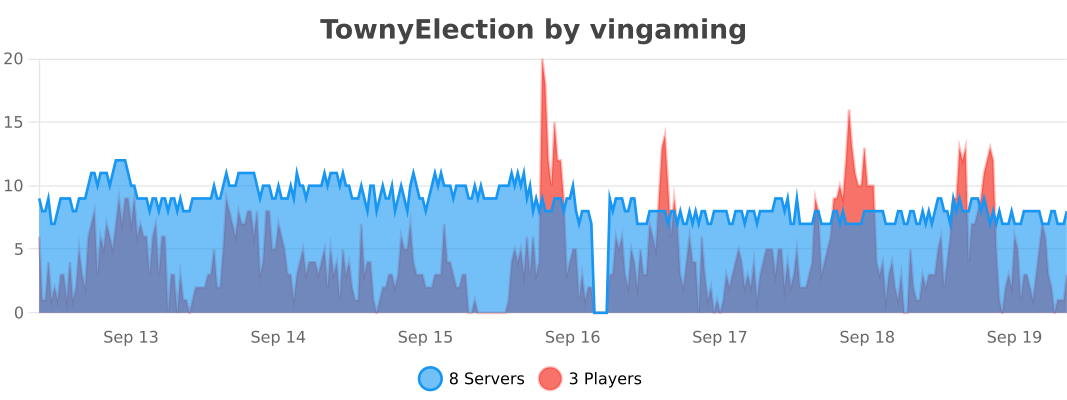
These images update automatically from GitHub and bStats.
| Dependency | Version | Required |
|---|---|---|
| Paper | 1.21.4 or newer | Yes |
| Java | 21+ | Yes |
| Towny | 0.100.0.0+ (0.103 recommended) | Yes |
| PlaceholderAPI | any recent | Optional |
- Download the latest jar from the releases page.
- Place it in the server
plugins/folder. - Make sure Towny is installed.
- Restart the server, then edit
plugins/TownyElections/config.yml. - Run
/election reloadafter config or message changes.
PlaceholderAPI is optional. If it is present, TownyElections registers the placeholders listed below.
mvn clean packageThe shaded jar is produced at target/TownyElections-version.number.jar. Drop it into
your server's plugins/ folder alongside Towny.
The build depends on the Paper API, Towny (via JitPack), and PlaceholderAPI repositories, all declared in
pom.xml.
The root command is /election (aliases: /elec, /te). Every sub-command
literal below is configurable in config.yml under the commands: section.
| Command | Permission | Description |
|---|---|---|
/election |
Town resident | Open the election GUI. |
/election run |
townyelections.candidate |
Stand as a candidate. |
/election withdraw |
townyelections.candidate |
Withdraw from the race. |
/election campaign <message> |
townyelections.candidate |
Set your campaign message. |
/election profile <profile> |
townyelections.candidate |
Set your candidate profile/bio. |
/election party <name> |
townyelections.candidate |
Join or create a political party. |
/election parties |
townyelections.info |
List current parties and standings. |
/election vote <candidate...> |
townyelections.vote |
Cast (or change) your vote or ballot. |
/election status |
townyelections.info |
View the current election. |
/election candidates |
townyelections.info |
List candidates, parties & campaigns. |
/election results |
townyelections.info |
View the last concluded results. |
/election start [town] |
townyelections.admin |
Start an election. |
/election stop [town] |
townyelections.admin |
End voting early and tally. |
/election cancel [town] |
townyelections.admin |
Cancel with no winner. |
/election reload |
townyelections.admin |
Reload configuration. |
/election nation <sub-command> |
varies by sub-command | Run any of the above for your nation. |
Admins may target another town by name; otherwise the sender's own town is used.
TownyElections can run nation-wide elections alongside town elections. Prefix any
sub-command with the configurable nation literal to target your nation
instead of your town — every resident of every town in the nation may stand and
vote:
/election nation start                 # admin: start a nation election (or start <nation>)
/election nation run                   # stand as a candidate in the nation election
/election nation vote Alice            # vote in the nation election
/election nation status                # view the nation election
/election nation results               # view the last nation results
Nation elections reuse the durations, voting system, tie-breaker, and campaign
settings used for towns. Nation-specific behaviour is configured under the
nation: and winner: sections of config.yml:
nation.enabled— master switch for nation elections and thenationsub-command.nation.min-residents— minimum nation residents required to hold an election.nation.auto-schedule— auto-start nation elections on the town auto-schedule cadence.winner.grant-nation-ranks— Towny nation ranks granted to a nation winner.winner.set-as-king— transfer nation leadership (kingship) to the winner.
Admins may target another nation by name (/election nation start <nation>);
otherwise the sender's own nation is used.
Running /election as a player opens the election desk for your town. The menu
shows the current phase, remaining time, candidate count, vote count, your current
vote, and one-page access to the candidate ballot, party standings, last results,
candidacy tools, and admin controls when the player has townyelections.admin.
The candidate roster uses player heads as vote buttons. Under plurality a click casts your vote; under ranked choice each click adds that candidate as your next preference (heads show your current rank and full ballot); under approval each click toggles your approval. A clear-ballot button resets ranked or approval ballots. Hovering a candidate head shows their party, campaign message, candidate profile, and visible vote data when live results are enabled. Campaign messages, candidate profiles, and party names can be set from the menu by clicking the matching item and typing the new value in chat; the plugin consumes that one chat message and applies the normal validation.
The GUI still enforces the same permissions, Towny residency checks, voting phase checks, self-vote setting, vote-change setting, campaign limits, and party limits as the chat commands. Menu clicks and drags are cancelled inside plugin inventories so players cannot take, place, shift-click, or drag GUI items into their own inventory.
Parties are labels that residents can join, create, leave, or admin-rename without changing the core individual-winner election rules. Parties persist between elections: a resident can join or create a party at any time — even when no election is running — and their membership carries over so they are already in that party when the next election starts. When an election is active, candidates' party choices are also written back to the standing registry so they survive the election ending.
/election party Reform Coalition      # join or create a party (works without an active election)
/election party color gold            # colour your party (name, &code, or #RRGGBB; requires an active election)
/election party leave                 # leave your standing party / return to the default party
/election parties                     # list current parties and standings (shows standing parties when no election is active)
/election party rename Reform Unity   # admin: rename a party in this election
When a resident leaves their town (or nation), their standing-party membership
is automatically cleared so no stale parties linger. Standing parties are
persisted in data.yml under the standing-parties section and reload safely
across restarts; old data files without that section load unchanged.
Party colours are customizable: any candidate in a (non-default) party can
set that party's colour with /election party color <colour>, accepting a colour
name (red, dark_blue, ...), a legacy code (&c), or hex (&#RRGGBB). The
colour is applied everywhere the party is shown — candidate lists, standings,
the GUI, broadcasts, results, and placeholders — and is preserved in recorded
results.
When a resident registers with /election run, the plugin also sends them a
short list of recommended next steps (set a campaign message, join a party,
colour it, and write a profile).
Candidate lists and final results show each candidate's party. Party standings show candidate counts, and show vote totals whenever live results are public or after results are recorded. Example result output:
Party Results - Oakvale
 - Reform Coalition (18 votes, 2 candidates) Alex, Mira
 - Independent (7 votes, 1 candidate) Rowan
election.voting-system in config.yml selects how ballots are collected and
counted. The system is locked in when an election starts, so a config change
never re-interprets the ballots of a running election.
| System | Ballot | Count |
|---|---|---|
PLURALITY |
One candidate. | Most votes wins (default, classic). |
RANKED_CHOICE |
Candidates in order of preference. | Instant-runoff elimination rounds. |
APPROVAL |
Every candidate the voter approves of. | Most approvals wins. |
With ranked choice, /election vote Alex Mira Rowan ranks Alex first,
Mira second, Rowan third. Counting eliminates the weakest candidate each round
and transfers their ballots to each voter's next surviving preference until a
candidate holds a majority of the continuing ballots. Every round (tallies,
eliminations, and exhausted ballots) is recorded and shown in
/election results:
Runoff Round 1
   - Alex: 4 vote(s)
   - Mira: 3 vote(s)
   - Rowan: 2 vote(s)
   Eliminated: Rowan
Runoff Round 2
   - Mira: 5 vote(s)
   - Alex: 4 vote(s)
With approval, /election vote Alex Mira approves both candidates; list as
many as you support.
In the GUI, plurality clicks vote directly, while ranked-choice and approval
clicks build the ballot: each click adds the candidate as your next preference
(or approves them), clicking again removes them, and a bucket button clears the
whole ballot. Adding to a ballot is always allowed; removing or clearing
entries requires allow-vote-changes: true. Live first-preference and approval
tallies follow your public-live-results setting, exactly like plurality.
If the final count ends in a dead heat, your configured tie-breaker
(RANDOM, EARLIEST, INCUMBENT, RUNOFF, or NONE) resolves it under
every system.
| Node | Default | Grants |
|---|---|---|
townyelections.candidate |
true | Running & managing a campaign. |
townyelections.vote |
true | Voting. |
townyelections.info |
true | Viewing status/candidates/results. |
townyelections.admin |
op | Start/stop/cancel/reload. |
townyelections.* |
op | Everything. |
When an election concludes, the winner receives whatever you configure under
winner: in config.yml:
winner:
  set-as-mayor: false          # transfer mayorship to the winner
  grant-town-ranks:            # Towny ranks from your townyperms.yml
    - "councillor"
    - "helper"
  revoke-previous-winner-ranks: true
  commands-on-win:
    - "lp user {winner} parent addtemp mayor 30d"
  commands-on-loss: []
Ranks map to Towny permission nodes defined in townyperms.yml (this is where
plot-management and other role permissions live). Invalid ranks are skipped with a
console warning. Command placeholders: {winner}, {winner_uuid}, {town},
{votes}, {total_votes}, {winner_party} (and {loser}, {loser_uuid}, {loser_party} for loss commands).
Durations accept friendly strings like 30s, 10m, 2h, 3d, 1w, or
combinations such as 1w3d12h. Candidates can set a short campaign message and a longer candidate profile/bio for voters to read. Candidates can join an existing party or create a new party label with /election party <name>; tab completion suggests current parties. Party standings are available with /election parties, and final results include party-level vote totals plus winner command placeholders.
By default (campaign.lock-edits-during-voting: true), candidates cannot change
their campaign message, profile, party, or party colour once the voting phase has
begun — these can only be edited during the nomination phase. Set it to false
to allow edits at any time.
election:
  nomination-duration: "2d"
  voting-duration: "3d"
  min-candidates: 2
  max-candidates: 0            # 0 = unlimited
  auto-win-single-candidate: true
  allow-vote-changes: true
  public-live-results: false   # false = secret ballot
  voting-system: "PLURALITY"   # PLURALITY | RANKED_CHOICE | APPROVAL
  tie-breaker: "INCUMBENT"     # RANDOM | EARLIEST | INCUMBENT | RUNOFF | NONE
  auto-schedule:
    enabled: false
    interval: "30d"
  ip-vote-limit:
    enabled: false
    max-votes: 0                 # 0 = unlimited
When election.ip-vote-limit.enabled is true and max-votes is greater than zero,
each active election tracks distinct player IP addresses independently. IPs are
normalized by the server connection and represented only by an in-memory SHA-256
fingerprint; raw addresses are never logged or persisted. Ballot changes and
clearing an existing ballot do not consume additional capacity. Because tracking
is intentionally not persisted, a server restart resets the fingerprints for
active elections. Shared networks and proxies may cause multiple players to be
counted together, while changing IPs can result in separate fingerprints.
See the generated config.yml for the full, commented set of options, and
messages_en.yml for every editable message.
If PlaceholderAPI is installed, these placeholders are available (identifier
townyelections), resolved for the viewing player's town:
| Placeholder | Description |
|---|---|
%townyelections_phase% |
Current phase, or none. |
%townyelections_voting_system% |
Active election's system, or none. |
%townyelections_time_left% |
Time until the current phase ends. |
%townyelections_candidates% |
Number of candidates. |
%townyelections_votes% |
Number of votes cast. |
%townyelections_has_voted% |
true/false for the player. |
%townyelections_my_party% |
Your candidate party, if running. |
%townyelections_leading_party% |
Leading current-election party. |
%townyelections_last_winner% |
Name of the last winner in the town. |
%townyelections_last_winner_party% |
Party of the last winner in the town. |
Every placeholder also has a nation_ variant (for example
%townyelections_nation_phase% or %townyelections_nation_last_winner%) that
resolves against the player's nation election instead of their town election.
On startup TownyElections asynchronously checks GitHub Releases for a newer
stable version of the plugin using each release's tag_name. Draft,
prerelease, and nightly releases are ignored, the check never blocks the server,
and it never downloads or installs anything. When a newer release is found it is logged to the console, and players with
townyelections.admin can be notified when they join.
Configure it under update-checker in config.yml:
update-checker.enabled— turn the GitHub Releases check on or off.update-checker.github-repository— GitHub repository inowner/nameform (default:vingaming1113/TownyElections). Draft, prerelease, and nightly releases are ignored.update-checker.notify-admins-on-join— message admins on join when an update is available.
- An admin (or the auto-scheduler) starts an election in a town.
- Nomination phase: residents
/election run, set campaign messages, and choose parties. - When nominations end, if there are enough candidates the voting phase opens (otherwise the election is cancelled, or a lone candidate may auto-win).
- Residents
/election vote <candidate...>(one name under plurality, several to rank or approve). A reminder is sent to non-voters before voting closes. - When voting ends, ballots are counted under the election's voting system (including instant-runoff rounds for ranked choice), ties are resolved per your strategy, the result is recorded, and the winner's rewards are applied through Towny.
State is checked once per second and persisted to data.yml, so elections resume
correctly across restarts.
Bug reports, feature ideas, and pull requests are welcome. Please use the issue tracker and keep changes focused on the existing Paper/Towny workflow.
Before submitting a code change, run:
mvn clean packageLicensed under the MIT License. Adapt freely for your server.