


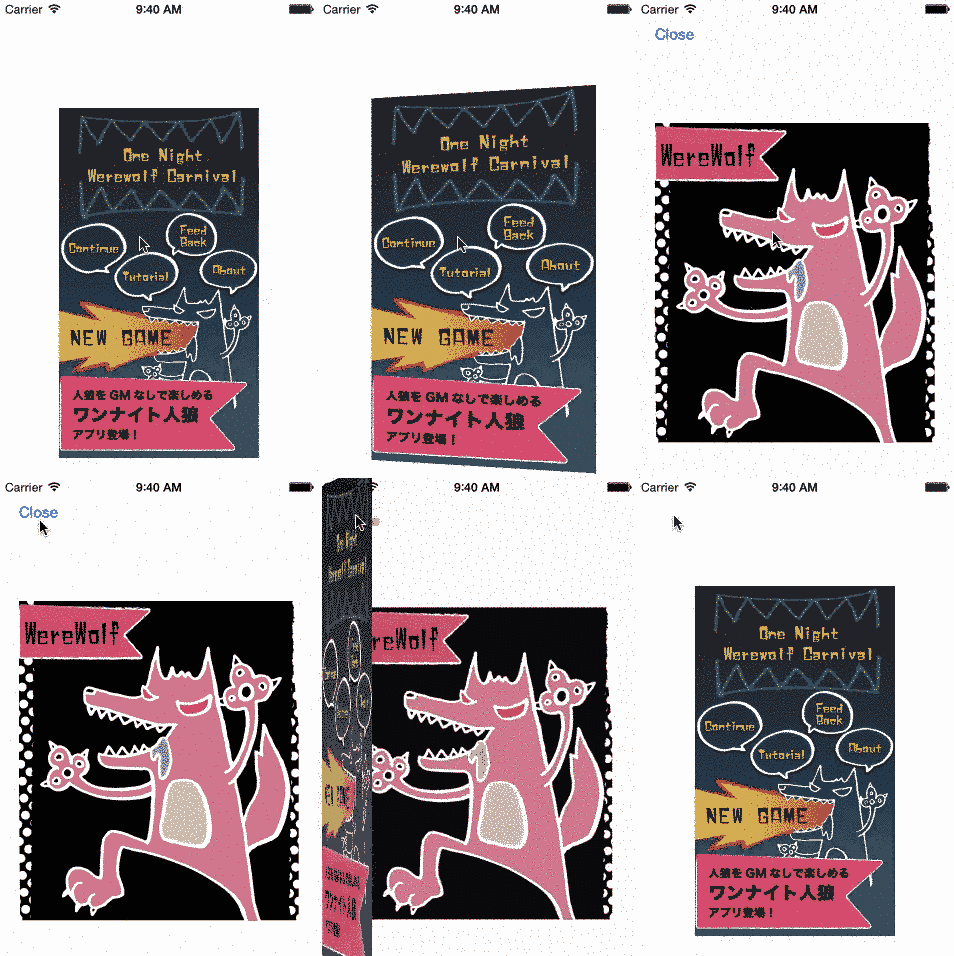
MOGOpenBookSegue is custom segue like iBooks open animation.
##Requirements
iOS7.0 or later
- To run the example project, clone the repo, and run
pod installfrom the Example directory first. - Import header to your ViewController.
#import <MOGOpenBookSegue/MOGOpenBookSegue.h>

or

#import "MOGOpenBookSegue.h"
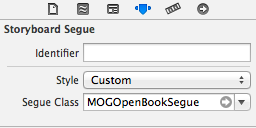
- Change to custom segue on Storyboard.
- Add code on your ViewController like this.
-(void)prepareForSegue:(MOGOpenBookSegue *)segue sender:(id)sender {
    [segue setupBookView:self.coverImageButton.imageView.image frame:self.coverImageButton.frame];
    [super prepareForSegue:segue sender:sender];
}
- If you want to change duration time, add this code. Default is 1.0f.
[segue setDurationTime:3.0f];- If you want to do something after animation, you can add this code.
    [segue setCompletionBlock:^(BOOL transitionCompleted) {
        NSLog(@"open!");
    } closeCompletion:^(BOOL transitionCompleted) {
        NSLog(@"close!");
}];MOGOpenBookSegue is available through CocoaPods. To install it, simply add the following line to your Podfile:
pod "MOGOpenBookSegue"
mogmet
MOGOpenBookSegue is available under the MIT license. See the LICENSE file for more info.