





Anubee is a tool used for analyzing Android application behavior dynamically. It's designed to observe system and function calls at runtime, defeating various anti-static-reverse-engineering approaches such as obfuscation and packer-like behavior. It utilizes the eBPF technology, thus making it effective at bypassing mobile applications' RASP (Runtime Application Self-Protection), which is currently popular in high-risk applications such as banking, healthcare, and many others.
Ever wanted to know exactly what an app is really doing?
Anubee shows you, no matter how well it's hidden.
| Load a trace |
|---|
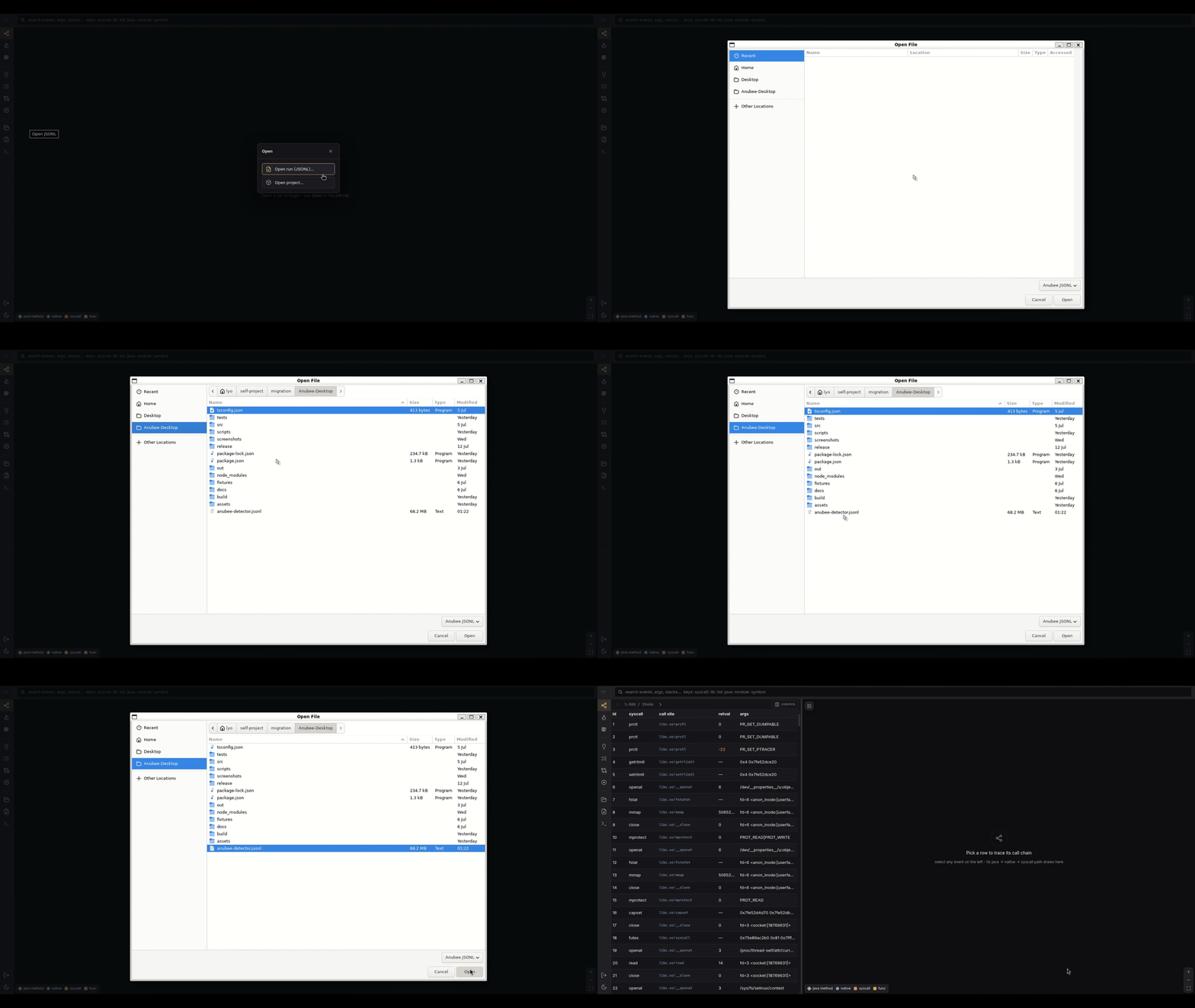
| Point Anubee-Desktop at a trace file and the run loads into a filterable table. |
 |
| Build the call graph |
|---|
| Selecting a table entry plots its nodes. Clicking one of those nodes then draws the connections between them. |
 |
| Filter the trace |
|---|
| Type a library name, syscall, or plain text into the search bar and the table narrows to just those calls. |
 |
| Graph a specific call |
|---|
| Clicking through the graph for a filtered call surfaces each node's syscall, args, and backtrace in the inspector panel. |
 |
| Confirm a suggested tag |
|---|
The Suggestions panel surfaces candidate RASP checks from a heuristic scan. Confirming one turns its dashed border solid to show it's been reviewed. |
 |
| Drive Anubee from chat |
|---|
anubee-mcp lets your LLM client run the anubee CLI for you. Just ask, and it picks the right command for the live device on its own. This run asks it to list the native libraries Anubee-Detector has loaded at runtime. |
 |
| Catch a mass file delete |
|---|
mod massdelete-detect watches renameat/unlinkat activity and alerts once a burst of distinct files get touched in a short window. This run attaches to the demo app mid-delete. |
 |
| Catch data leaving after a sensitive read |
|---|
mod exfil-detect arms on a credential or media-shaped file read, then tracks the outbound byte volume that follows. This run attaches to the demo app mid-transfer. |
 |
- Mostly invisible while it works. Anubee watches an app from a distance instead of living inside it, so most of what it does never trips the app's own security checks.
- Reveals code the app tries to hide. Some apps scramble their own code and only unlock it while running, hoping nobody's watching at that exact moment. Anubee catches that code the instant it's unlocked, so you get to see what was actually hidden.
- Explains actions, not just logs them. Every action an app takes gets traced back to the exact piece of code responsible, so even code deliberately written to be hard to follow still can't hide what it's really doing.
- Comes with Android malware analysis built in. Anubee already catches files being deleted in bulk, data being quietly leaked out, permissions being abused, and the screen being secretly recorded.
| Subcommand | What it's for |
|---|---|
anubee syscalls |
Watches what an app does without it ever knowing, the quiet default |
anubee funcs |
Captures deep function-level detail: arguments, return values, and timing |
anubee lib |
Finds every native library an app loads, even ones it only loads mid-run |
anubee dump |
Pulls packed or encrypted code out of a running app and rebuilds it into a file you can open in a disassembler |
anubee correlate |
Ties a specific function to the syscalls it triggers |
anubee trace |
Runs syscalls and funcs/lib together in one launch |
anubee mod |
Runs ready-made analyzers for specific malware behavior |
Get started: one static anubee binary, nothing else to install. Grab it and run your first trace. Full walkthrough, prerequisites included: docs/getting-started.md.
Full capability: Anubee-Desktop drives anubee for you and turns its raw output into something you can actually read. Grab it here and follow its README.
Full usage documentation: docs/README.md, which engine to pick and how to use each.
Rather than just claim Anubee is stealthy, we tested it against a tool built to catch exactly this kind of tracer.
Anubee-Detector is a dedicated tripwire for exactly this kind of tool. It loops real security checks and flips its screen red the instant it senses it's being watched.
 Clean baseline. SECURE, 0/4 tripped. |
 Auto-loop on, re-checking continuously. Still SECURE, 0/4. |
 Run one that does: 1/4 tripped, banner turns COMPROMISED. |
Anubee's quiet capabilities never leave a footprint. That's why they never tripped the detector.
Then we ran one that does leave a footprint. The detector caught it immediately.
That's what "mostly invisible while it works" actually looks like. Go try it yourself. The detector's open source too.
Curious how any of this actually works under the hood?
Full architecture, engine internals, the trace schema, detectability analysis, and known limitations live in DOCUMENTATION.md.
See LICENSE.