



- Description
- Demo
- Features
- Architecture
- Algorithms
- Technologies
- Installation
- Usage
- Module Breakdown
- Performance and Scalability
- Future Development
- Contact
ChickenBrain AndroidApps Modeller is a visual Android application generator specialized in Wiki-style apps, developed in Java. It allows creating informative applications through an intuitive visual interface, using an interconnected node system and WYSIWYG editors. The application compiles Java/XML projects and packages them as APKs, without requiring the user to write code.
The project was born as an exploration of advanced programming concepts, including procedural code generation, automatic compilation of Android projects, and the development of graph-based interfaces. The main technical motivation was to implement an extensible modular architecture that could represent complex content structures through nodes and connections.
I was the ONLY developer of this project, which I created as a proof of concept to accelerate my development of wiki-style applications. I single-handedly implemented the entire system, including the node architecture, the MDI (Multiple Document Interface) system, and the visual interconnection algorithms.
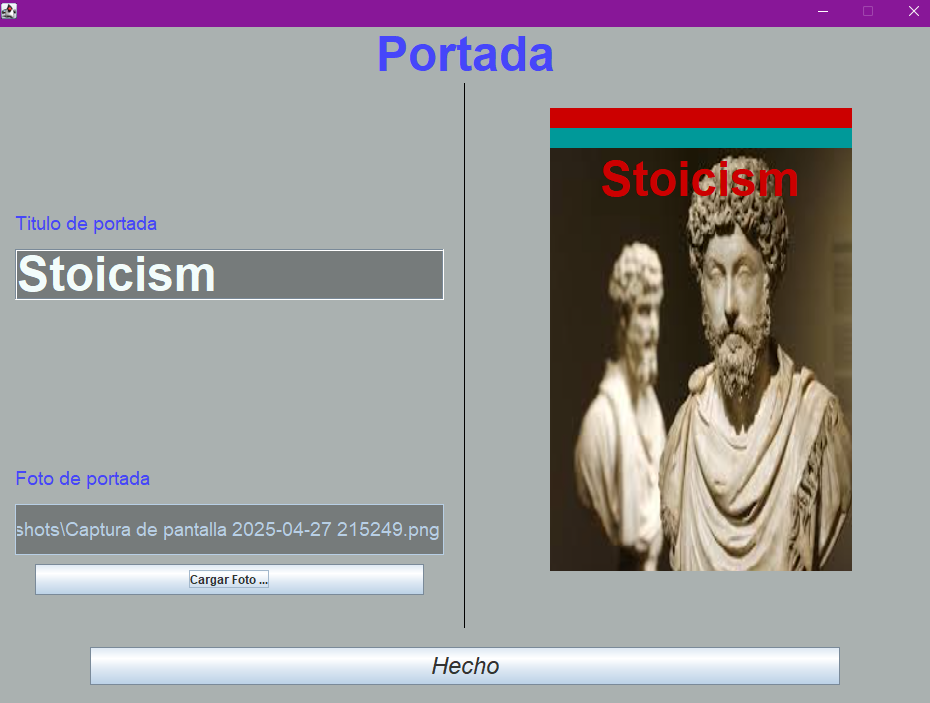
- Initial project setup (colors and metadata)


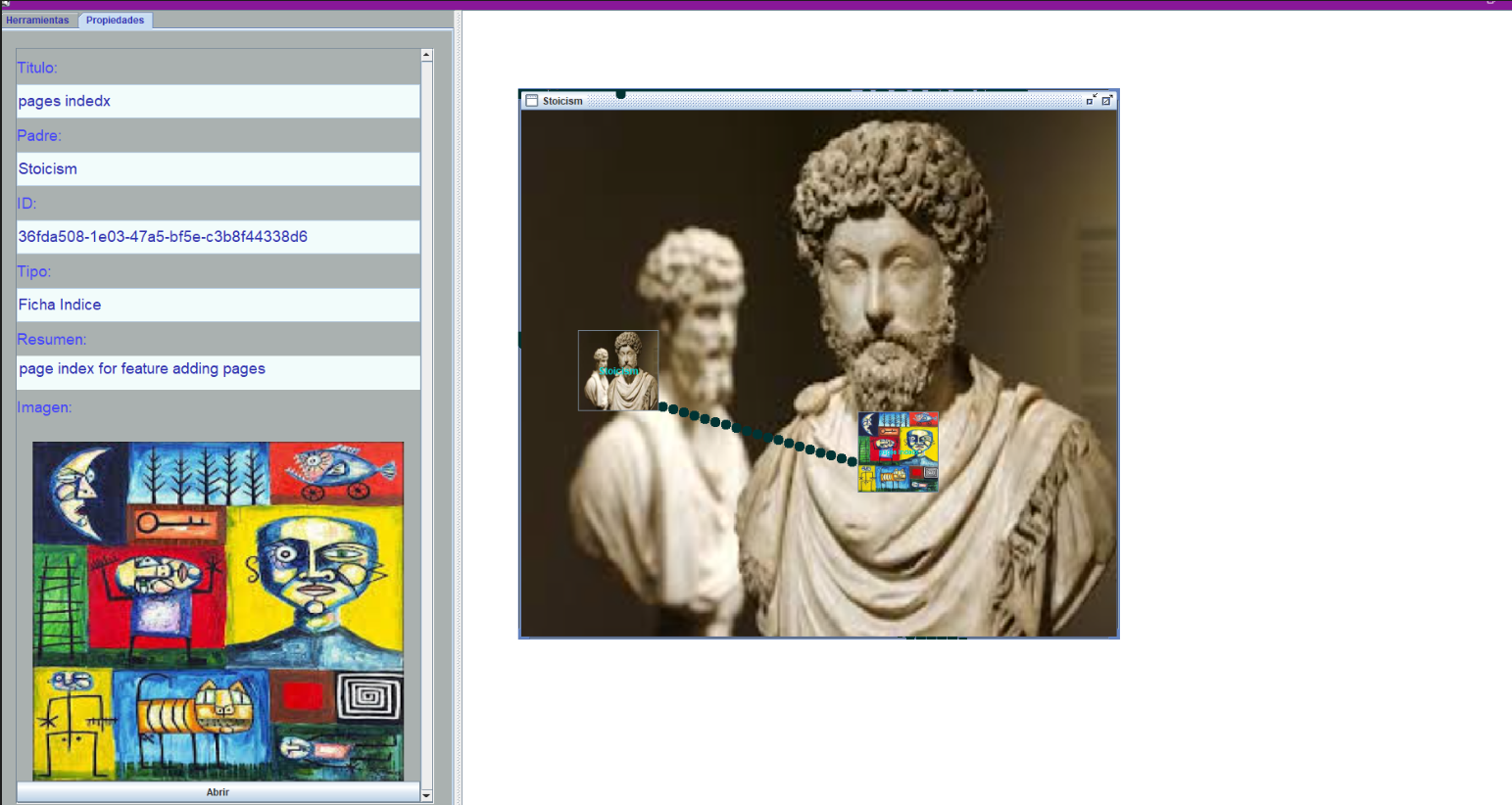
- Main node editor and connections
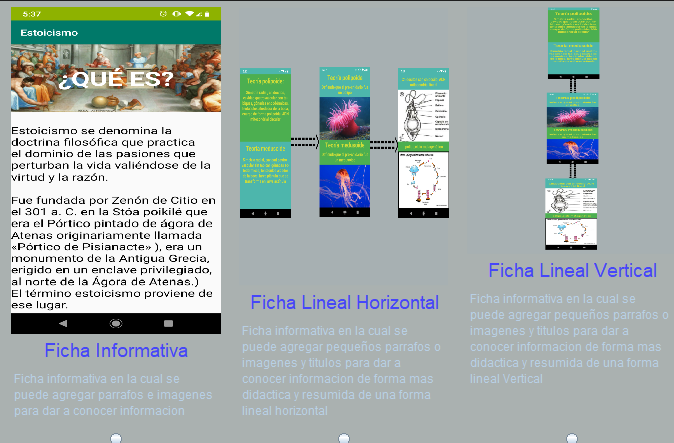
- Examples of different card types (informative, horizontal and vertical carousels)
- 🔍 Visual Node Editor: Graph-based editing system that allows connecting different types of content through a drag-and-drop interface.
- 🧩 Procedural Code Generation: Automatic transformation of the visual model into Java/XML code for Android.
- ⚡ Real-Time Preview: Triple synchronized system (editor, index, preview) that immediately shows changes.
- 🎨 Complete Visual Customization: Selection of primary, secondary, and tertiary colors with interactive preview.
- 📱 Multiple Content Types: Support for informative cards, horizontal and vertical carousels with text and images.
- 🔄 Multi-level Observer Architecture: Real-time event propagation among all related components.
The application uses a multi-layer architecture:
-
Presentation Layer: Implemented with Java Swing, uses an MDI (Multiple Document Interface) system with JInternalFrames to represent nodes and a JDesktopPane as the master container.
-
Model Layer: Uses a modified Singleton pattern through the static
Projectclass that maintains the global state of the application. -
Communication Layer: Implements a multi-level event propagation system that keeps all components synchronized.
-
Generation Layer: Transforms the visual model into Java/XML code for Android.
// Example of the modified Singleton pattern in the Project class (APKInProgress.java)
public static void SetMainScenesManager() {
    switch(Tipo_Proyecto) {
        case Guia_Educativa: break;
        case Tips_Diarios: break;
        case Temario_Educativo:
            Temario_Educativo_MainScenesManager Ventana_TemarioEducativo_MainScenesManager =
                new Temario_Educativo_MainScenesManager();
            break;
    }
} +-------------------------+
| User Interface |
| (Swing/AWT Components) |
+-----------+-------------+
|
v
+----------------+ +-------------------------+ +----------------+
| Visual Editor | <---> | Singleton APK | <---> | Previewer |
| (Nodes Editor) | | (Global Project State) | | (Android View) |
+----------------+ +-------------------------+ +----------------+
|
v
+-------------------------+
| Code Generator |
| (Java/XML for APK) |
+-------------------------+
The system implements a dynamic drawing algorithm that calculates and draws connections between nodes using linear interpolation. For each pair of connected nodes, the slope is calculated and then points are drawn at regular increments to form the line.
private void CalcularTrazo(Component Origen, Component Destino) {
    // Calculate origin and destination points (bottom center of origin, top center of destination)
    float Q = Origen.getX() + Origen.getWidth()/2,
          K = Origen.getY() + Origen.getHeight(),
          X = Destino.getX() + Destino.getWidth()/2,
          Y = Destino.getY() + Destino.getHeight();

    // Calculate slope between points
    float pendiente = (Y-K)/(X-Q);

    // Iterate to draw points along the line
    for(float i = X <= Q ? X : Q; i <= (X <= Q ? Q : X); i += GrosorLinea) {
        float pY = (int)((pendiente*i) - (pendiente*Q) + K);
        if(null != getGraphics()) {
            Graphics g = getGraphics();
            g.setColor(Proyecto.getColorTerciario());
            g.fillOval((int)i, (int)pY, GrosorLinea, GrosorLinea);
        }
    }
}The synchronization algorithm ensures that any change in a component is instantly reflected in all related views, using a DocumentListener:
@Override
public void insertUpdate(DocumentEvent arg0) {
    try {
        // Update the data model
        CourrentParrafo.SetTexto(Texto.getText());

        // Update visual representation in the index
        CourrenButtonParrafo.setText(CourrentParrafo.getTexto().substring(0,
            (CourrentParrafo.getTexto().length() >= 20? 20:(CourrentParrafo.getTexto().length())))+"...");

        // Regenerate the complete preview
        JFrame_Preview.LimpiarFicha();
        for(String ID : Ficha.getIndiceDeComponentes()) {
            if(Ficha.getTextos().containsKey(ID)) {
                JFrame_Preview.AgregarParrafo(Ficha.getTextos().get(ID));
            }
            else if(Ficha.getImagenes().containsKey(ID)) {
                JFrame_Preview.AgregarIlustracion(Ficha.getImagenes().get(ID));
            }
        }
    }
    catch(IndexOutOfBoundsException i) { }
}- Java Swing: Main graphical interface framework
- JInternalFrame for the MDI system
- JDesktopPane as master container
- Custom components extending JPanel, JButton, and JTextPane
- AWT (Abstract Window Toolkit): For event handling and graphics
- ActionListener, MouseMotionListener, FocusListener
- Graphics, Color, Image
- Java Collections Framework:
- HashMap for O(1) access to components by identifier
- ArrayList for ordered sequences
- StringTokenizer for text processing
- UUID: Generation of unique identifiers
- Maven: Dependency management and build system
- MigLayout: Layout manager for complex interfaces
- JGoodies Forms: Advanced UI components
# Clone repository
git clone https://github.com/username/androidapps-modeller.git
# Compile with Maven
mvn clean package
# Run the application
java -jar target/androidapps-modeller-0.0.1-SNAPSHOT-jar-with-dependencies.jar- Java Development Kit (JDK) 1.8 or higher
- Maven 3.0+
- 2GB RAM minimum (4GB recommended)
- Select "New Project" on the initial screen
- Choose the project type (currently available: Educational)
- Configure the main colors of the application
- Configure the cover (title and image)
- Use the node editor to create content
// Example of creating an informative card from code
public void createInformativeCard(String title, String description) {
    // Create card instance
    InformativeCard newCard = new InformativeCard(title);
    newCard.setDescription(description);

    // Add to project
    Project.addCard(newCard);

    // Update interface
    updateInterface();
}This module handles the basic project configuration, including application type, main colors, and metadata. Technical features:
- Implementation of ActionListener for event capture
- Data validation with visual feedback
- Controlled transitions between windows using the State pattern Challenges overcome:
- Responsive design that adapts to different resolutions using proportional constants
- Real-time preview system for color selections
This is the core of the application, allowing the visual creation and connection of different content components. Technical features:
- MDI system with multi-layer event propagation
- Dynamic drawing algorithm for connections between nodes
- Persistence model using dual HashMaps Challenges overcome:
- Implementation of component dragging with real-time recalculation of connections
- Collision detection system to avoid node overlap
- Observer architecture that maintains consistency between model and view
- Modular architecture that allows adding new project types and components
- Planned plugin system for future extensions
- Serializable data model for persistence and collaboration
- Complete implementation of project types: Educational Guide and Daily Tips
- More advanced visual theme editor
- Support for interactive components (quizzes)
- Export to additional formats (PWA, iOS)
- Real-time collaboration system
- Implementation of artificial intelligence for design assistance and content generation
   ____ _     _      _              ____           _
  / ___| |__ (_) ___| | _____ _ __ | __ ) _ __ __ _(_)_ __
 | |   | '_ \| |/ __| |/ / _ \ '_ \|  _ \| '__/ _` | | '_ \
 | |___| | | | | (__|   <  __/ | | | |_) | | | (_| | | | | |
  \____|_| |_|_|\___|_|\_\___|_| |_|____/|_|  \__,_|_|_| |_|
This project was developed as an exploration of advanced Java programming concepts, procedural code generation, and Android application development through a visual interface.