




Self-hosted home inventory for a household that works by labels and a scanner: put a barcode or QR on a thing, scan to restock or consume, and when stock changes an optional webhook updates a printer or Home Assistant label. Track low stock and expiry from the dashboard without turning Stash into a meal planner.
Current release: v0.7.3
Docs: docs/ROADMAP.md
- Nested locations (rooms / shelves / boxes) rendered as an indented tree, and categories
- Items with quantity, low-stock threshold, expiry & warranty dates, price, notes — name and unit are inline-editable right on the item detail page. An optional photo can be taken or picked from the gallery right in the "add manually" form (auto-resized on upload), and price uses a default currency (KRW/USD, set once in Settings) instead of typing it on every item
- Unified
Item+Barcodemodel — existing UPC/EAN, self-issued internal QR (deep-links to the item), a Matter pairing code, or a manually-entered serial number, all as one barcode type, each with its own print button so printing an item with several barcodes always sends the one you meant. Items added without a barcode get an internal QR issued automatically (no manual step needed later), and the manual "add item" form has separate Register / Register & Print buttons instead of a checkbox. Manual barcode/QR/serial entry lives behind a single collapsed toggle; scanning with the camera auto-detects the type (barcode vs. QR/Matter, asset-only) and its exact symbology instead of asking which kind you're adding - Asset mode alongside quantity tracking — flip an item to Asset to track a single physical device: condition (new / in use / needs repair / retired), a serial-number barcode entry, and a maintenance-history log (date, description, cost). Asset items hide the quantity stepper/low-stock fields, are excluded from shopping-list/low-stock logic, and scanning an asset's barcode redirects to its detail page instead of adjusting quantity
- File attachments for receipts, manuals, warranties, and photos — a single upload flow stores multiple PDF or image documents per item/asset, shown as real thumbnails (not just file links), with image auto-resizing on upload. Any image attachment can be set as the item's representative photo — shown as a small profile-style avatar next to the item name, automatic when there's only one image and a manual picker once there are several
- Continuous camera scanning: Restock (+1) / Consume (−1) modes, no screen transition between scans; camera scan is also available when registering an item manually or adding a barcode/Matter code. Tuned for real-world speed/accuracy (format hints, higher resolution, continuous autofocus), with an audible beep, haptic buzz, and a low-light flash toggle. A newly auto-created item gets a quick inline sheet to set its location/threshold on the spot
- Pluggable external product lookup (Open Food Facts, UPCItemDB, Naver Shopping) — pick which providers to use per barcode scan, or turn lookup off entirely
- Dashboard: total inventory value, low-stock and expiring-soon items front and center, plus a first-run onboarding checklist (location, notifications, public URL)
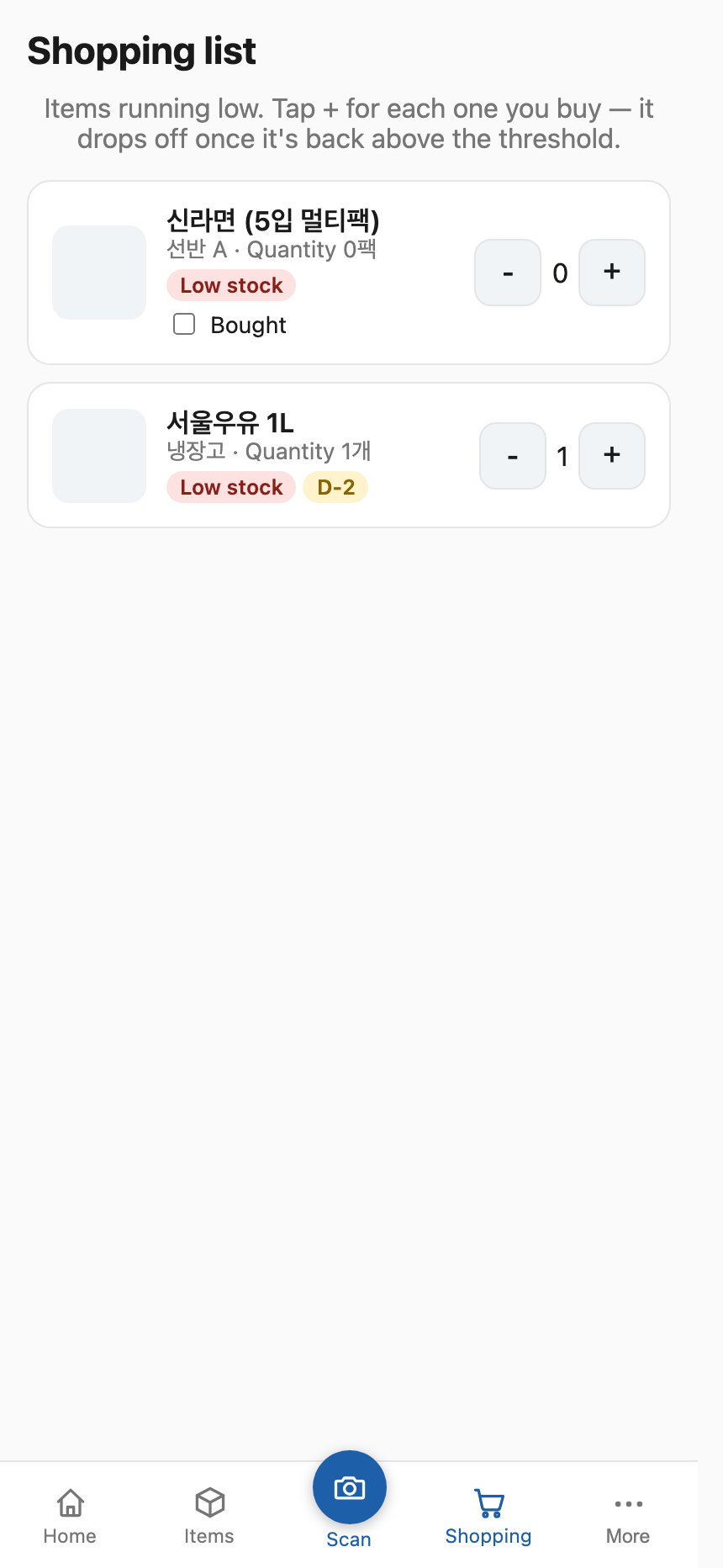
- Shopping list as its own bottom tab — built from low-stock items or anything manually added regardless of stock level, with a memo line and a bought checkbox
- Item list with search (name or barcode value), location/category filters, sort, pagination, and remembers your last filter/sort; bulk-select items to move location/category or delete at once
- Undo on delete — deleting an item shows an inline Undo toast
- CSV import / export (including barcode values) for bulk entry and spreadsheet round-trips
- Label printing: single PNG, or a bundled A4 label-sheet PDF (Korean names render via a bundled Noto Sans KR subset), with a search box on the label picker
- Expiry / warranty push notifications, plus a weekly low-stock digest (Web Push)
- Trash (soft delete) with restore and 30-day auto-purge
- Offline-friendly PWA: cached app shell and cached item list/detail responses for offline viewing, home-screen shortcuts for Scan / Add item, and an offline scan queue that auto-syncs when back online
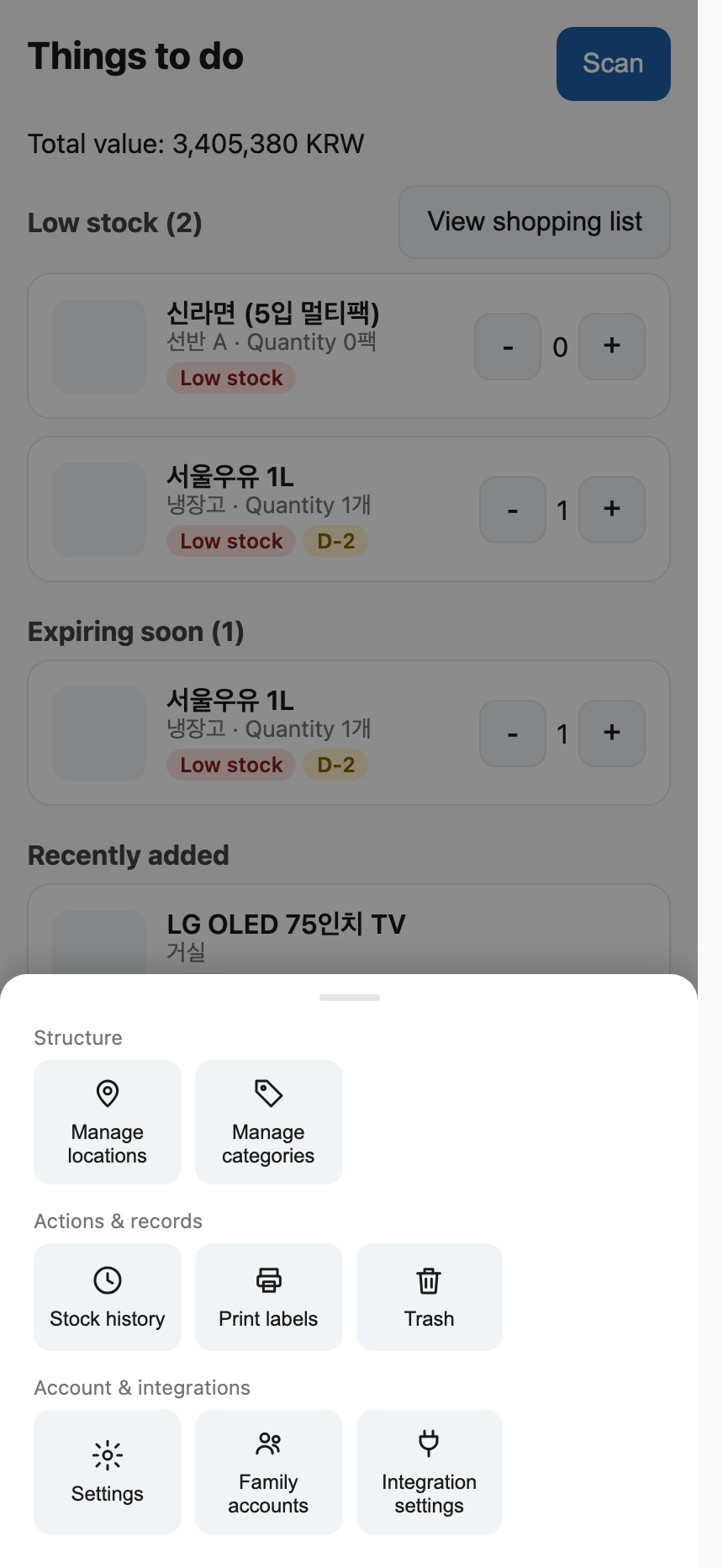
- Bottom navigation is centered in a max-width column on wide screens instead of stretching edge to edge; More opens as a slide-up bottom sheet (grouped shortcuts to locations, categories, history, labels, trash, settings, family accounts, integrations) instead of a separate page
- Outbound inventory webhook for printer / label-device automations (e.g. Home Assistant), with the last delivery failure surfaced in Settings
- Admin / general roles, first-admin bootstrap, self-service password change, admin reset of another family member's password (one-time value, not a reveal), this-device logout vs log out everywhere, backup/restore, ko/en i18n, light/dark theme
- Recipes / meal planning / auto-consume from cooking — Stash tracks what you have and how much; it does not decide what to cook or deduct ingredients from a recipe.
- Multi-tenant / per-household data isolation in one process — one instance is one household. Separate families should run separate containers rather than share a database with
groupIdfilters.
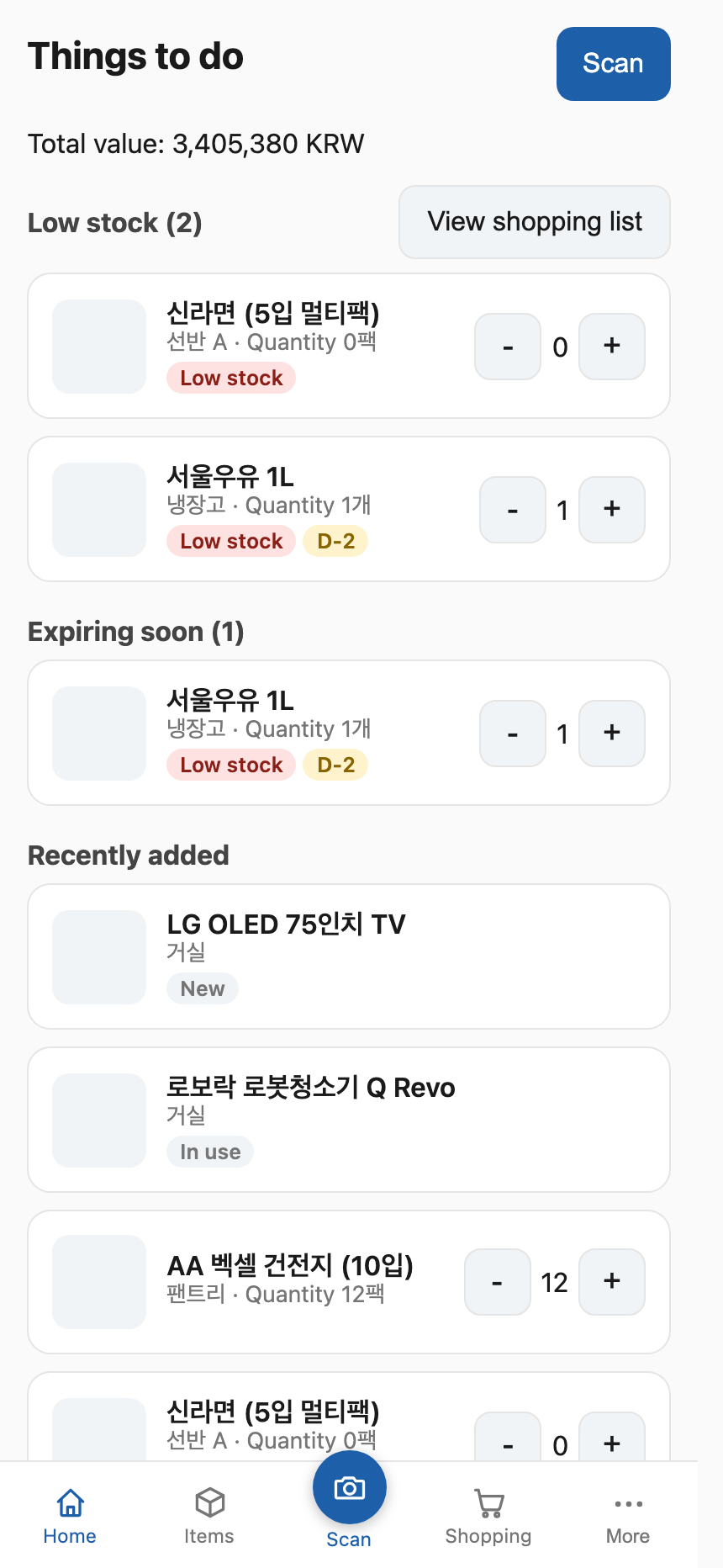
Home screen after login. Shows total inventory value, Low stock, Expiring soon, and Recently added. Tap + / − on any card to adjust quantity in place, or jump to View shopping list.
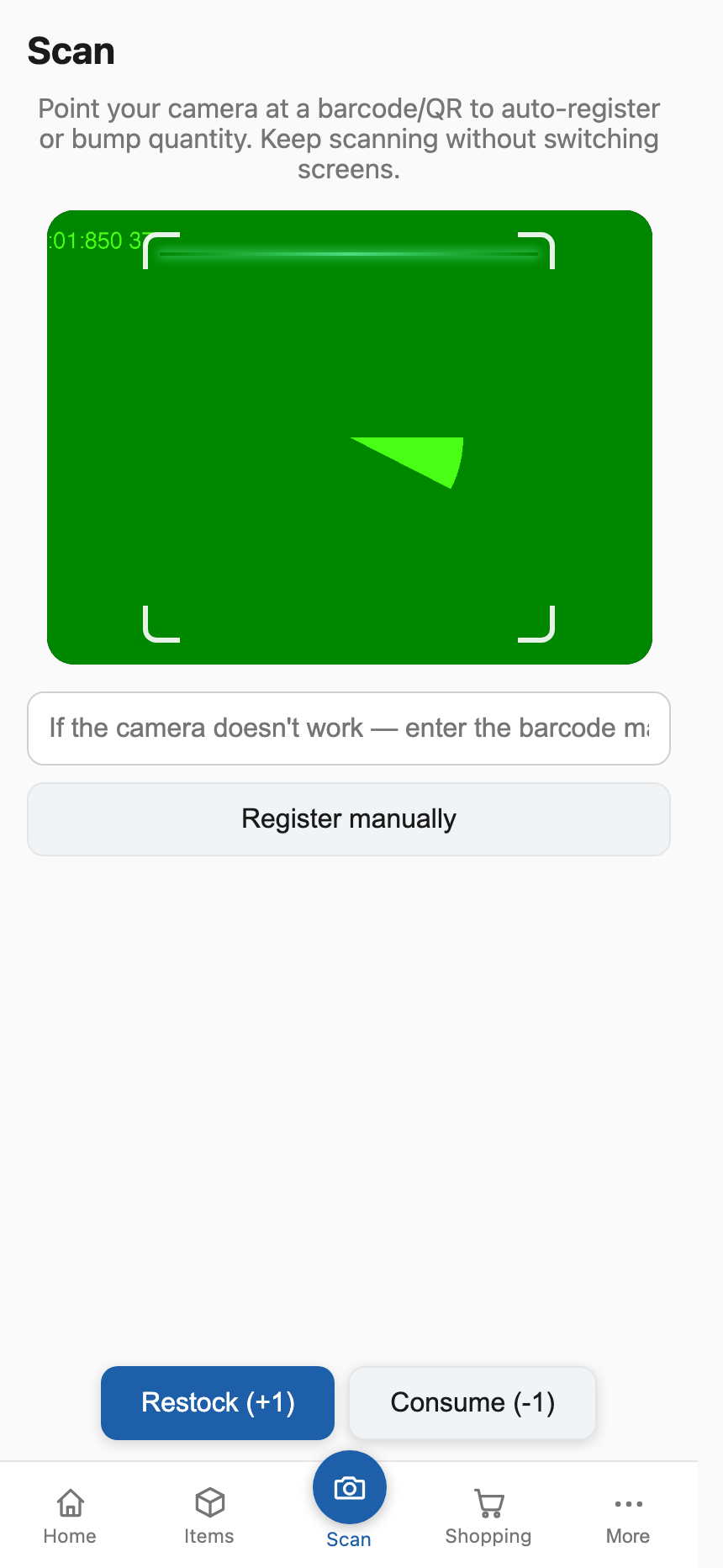
Scan barcodes or QR codes continuously without changing screens. Choose between Restock (+1) or Consume (-1) modes to update inventory instantly. It supports audible beeps, haptics, and a flashlight toggle for low-light scanning. Unknown barcodes are automatically created and open a mini-sheet to assign a location and threshold immediately. Manual entry is also available for devices without cameras.
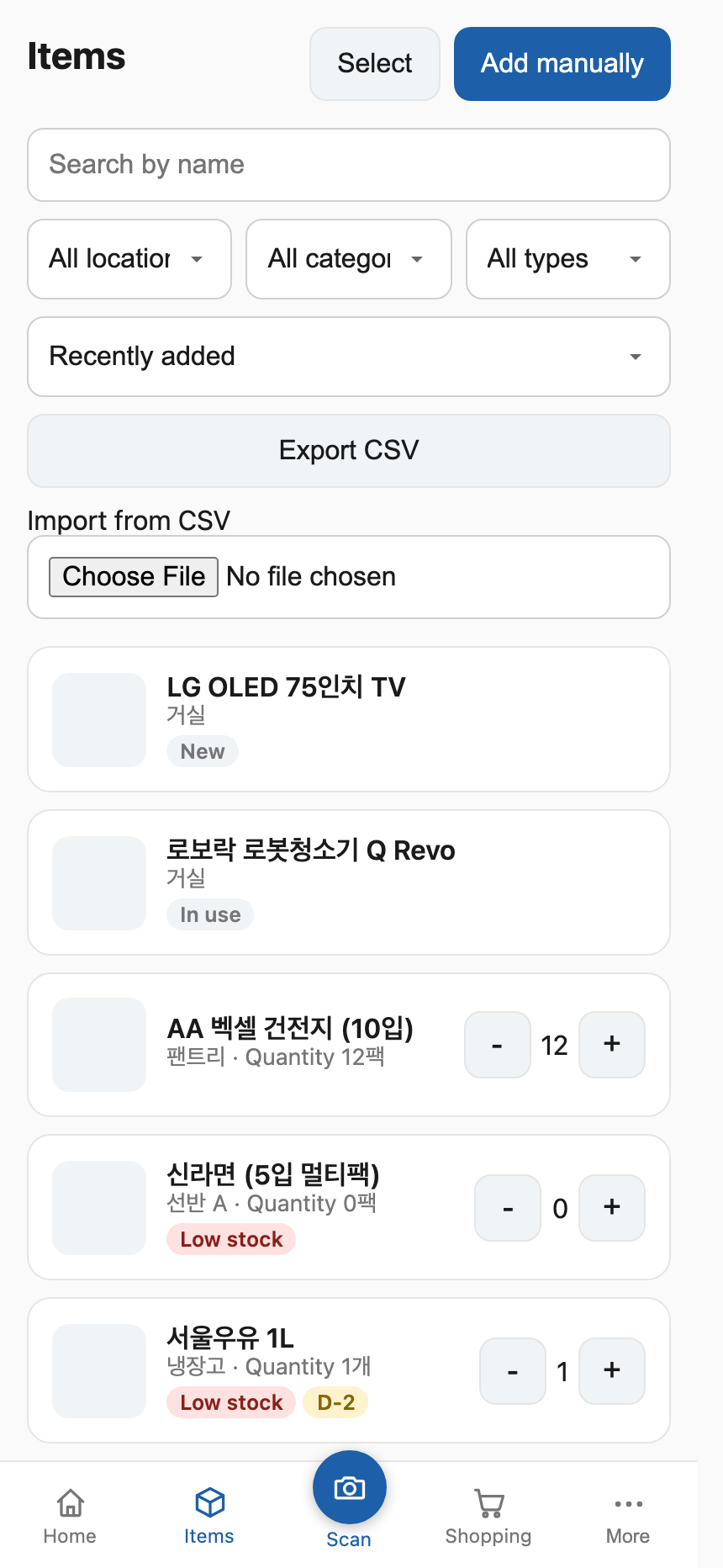
Browse all items with search, location / category filters, and sorting (recently added, lowest quantity, expiring soonest). You can bulk-select items to move their location/category or delete them at once, as well as import/export the entire list as CSV.
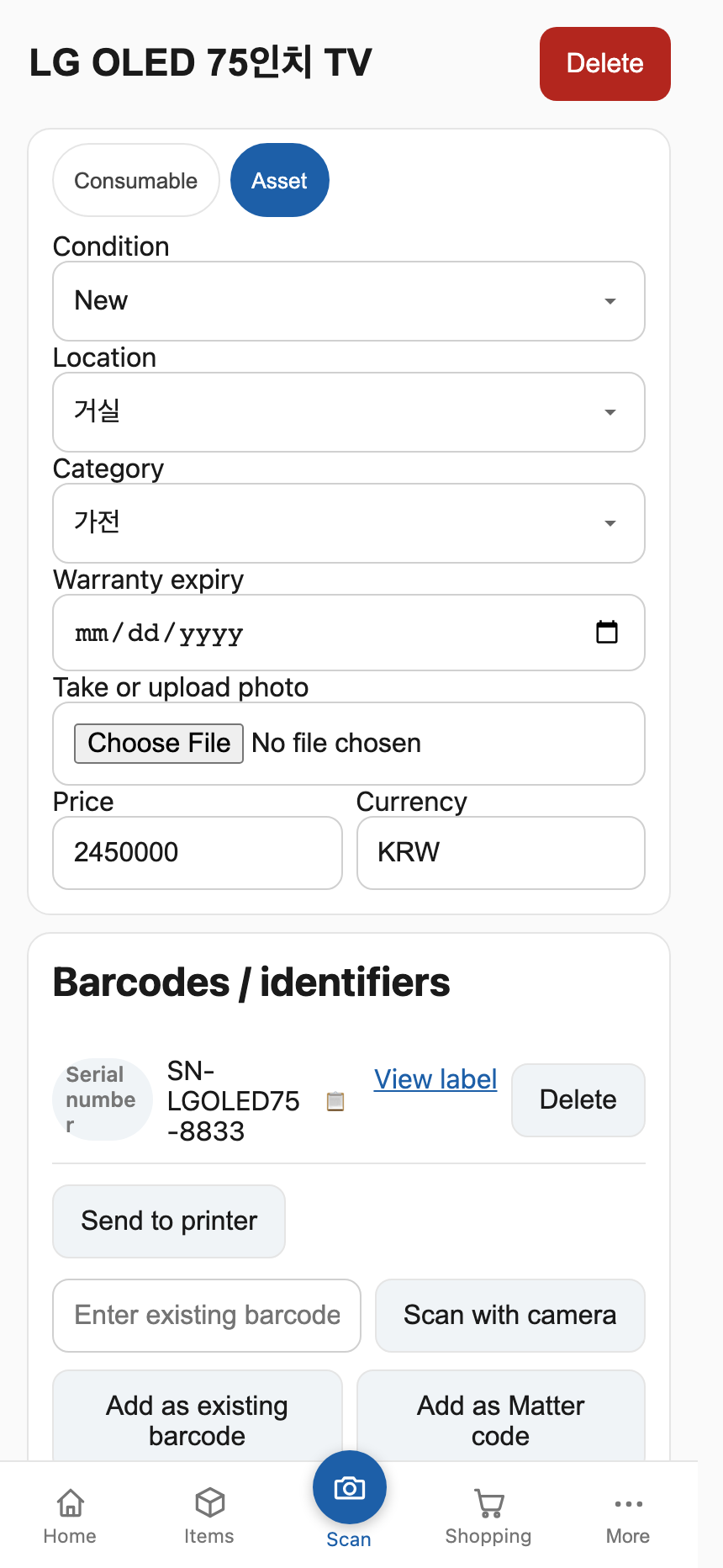
Manage quantity, location, category, low-stock threshold, expiry and warranty dates, price, and photos. You can associate multiple barcodes, generate internal QR labels, add Matter codes, send print requests, or upload attachments (receipts, manuals, warranties as PDF/images). Detailed adjustment logs, maintenance logs, and audit histories are listed at the bottom.
Displays low-stock items and manually added items as a checklist. Tap + for each item you buy; once its stock rises above the threshold, it drops off the list automatically. Supports custom notes and purchase checkmarks.
A slide-up bottom sheet menu accessed via the bottom navigation bar. It is cleanly grouped into: Structure (manage locations & categories), Actions & records (maintenance history, print labels, trash), and Account & integrations (settings, family accounts, integration settings).
Proxmox (recommended)
bash -c "$(curl -fsSL https://raw.githubusercontent.com/eigger/stash/master/proxmox/ct/stash.sh)"The community-scripts-style installer creates a Debian 13 LXC with Docker, writes the deploy files and a .env with random secrets to /opt/stash, and starts the stack via a stash.service systemd unit. Open http://<LXC_IP> when finished.
Updates (update) — run inside the container. It fetches docker-compose.prod.yml / Caddyfile / /usr/bin/update itself from the latest release tag, pulls images, and checks /health. On failure it rolls deploy files back to the backup. .env secrets are never overwritten (missing keys may be appended as comments).
- If you edited compose locally: the default is to abort. Overwrite with
update --force - To fetch from a specific git ref:
STASH_REF=master update(images remain:latest) - One-time bootstrap for existing installs (old
updatethat only pulled images) — required once or deploy-file sync never runs:
curl -fsSL https://raw.githubusercontent.com/eigger/stash/master/proxmox/install/update.sh -o /usr/bin/update && chmod +x /usr/bin/update
update
Docker Compose
docker compose -f docker-compose.prod.yml up -dSet POSTGRES_PASSWORD and JWT_SECRET in .env first — both must be strong random values (e.g. openssl rand -hex 32). In production the API refuses to start if JWT_SECRET is missing or set to a known insecure default (changeme, dev-secret-change-me). Images come from ghcr.io/<owner>/stash-api / stash-web — set GH_REPOSITORY_OWNER (and the image names in proxmox/install/stash-install.sh) to match your fork.
On a fresh install, /login shows Create first admin when no users exist.
- Open
/login - Enter name, email, password
- Submit — you are signed in as
ADMIN
Public sign-up is disabled. Later accounts are created only by an admin under More → Family accounts.
From More → Manage locations / categories, create where things live (rooms, shelves, fridge…) and how they group (food, household, electronics…). Both are nestable and optional — you can also fill them in later per item.
| Task | Where |
|---|---|
| Restock / consume by scanning | Scan (bottom tab) |
| Add an item without a barcode | Items → Add manually |
| Adjust quantity quickly | + / − on any item card |
| What to buy | Dashboard → View shopping list |
| Bulk import / export | Items → Import / Export CSV |
| Print labels | More → Print labels |
| Restore a deleted item | More → Trash |
| Expiry / warranty alerts | Settings → Notifications |
| Backup / restore | Settings → Backup / restore (backups are unencrypted inventory dumps — store carefully; password hashes are omitted and restore shows one-time passwords for every account that needs them) |
Set one URL under Settings → Integrations. Stash POSTs a JSON payload on item create / update / scan and on an explicit print request, so a receiving automation (e.g. Home Assistant) can render its own label. Optionally set a signing secret (INVENTORY_WEBHOOK_SECRET) so receivers can verify X-Stash-Timestamp / X-Stash-Signature (HMAC-SHA256). See docs/ROADMAP.md for the payload shape.
Via Home Assistant you can use:
- hass-niimbot — Niimbot label printing
- hass-gicisky — Gicisky electronic labels (inventory display, expiry dates, and more)
stash/
  apps/
    api/      # Fastify + Prisma
    web/      # Next.js App Router (PWA, ko/en)
  packages/
    shared/   # Shared Zod schemas
  scripts/    # capture-screenshots.mjs
  docker-compose.yml / docker-compose.prod.yml
  Caddyfile
  proxmox/    # LXC one-click install
npm install
cp .env.example .env   # generate POSTGRES_PASSWORD / JWT_SECRET with openssl rand -hex 32
docker compose up -d postgres
npm run prisma:migrate
npm run seed -w apps/api   # optional: seed admin instead of the bootstrap UI
npm run dev:api            # :8080
npm run dev:web            # :3000
Open http://localhost:3000/login.
If item photos stay blank in local npm run dev (web :3000 → api :8080), uncomment MEDIA_AUTH_DISABLED=true in .env so cross-origin <img> requests work without the media cookie. Never enable that in production.
Useful scripts: npm run build, npm run test, npm run prisma:generate.
- Stack: PostgreSQL 16 + API + Web + Caddy (
:80) - API runs
prisma migrate deployon startup (prod compose) - Images:
ghcr.io/<owner>/stash-api/stash-web(latest+ semver tags) - Update LXC:
updatein the container (syncs compose/Caddyfile from the latest release tag, pulls images, health-checks) - External barcode lookup (Open Food Facts, UPCItemDB) is optional — manual entry and self-issued QR codes work standalone
APP_PUBLIC_URLcontrols the deep-link encoded into self-issued QR labels; set it to your real domain so labels open the app from any camera app
| Workflow | Trigger | Purpose |
|---|---|---|
.github/workflows/ci.yml |
Push / PR to master |
Install, build, test |
.github/workflows/docker-release.yml |
GitHub Release | Push images to GHCR |
MIT. See LICENSE.