
A small desktop app for Lima VMs and the podman containers in them: every instance at once, with a long history of CPU, memory, pressure and disk — for the VM and for each container — so you can see OOMs coming and right-size VMs.
Status: early. macOS first (Linux builds too). Podman 5 or newer only (an older one is named, not half-read); compose projects shown read-only.
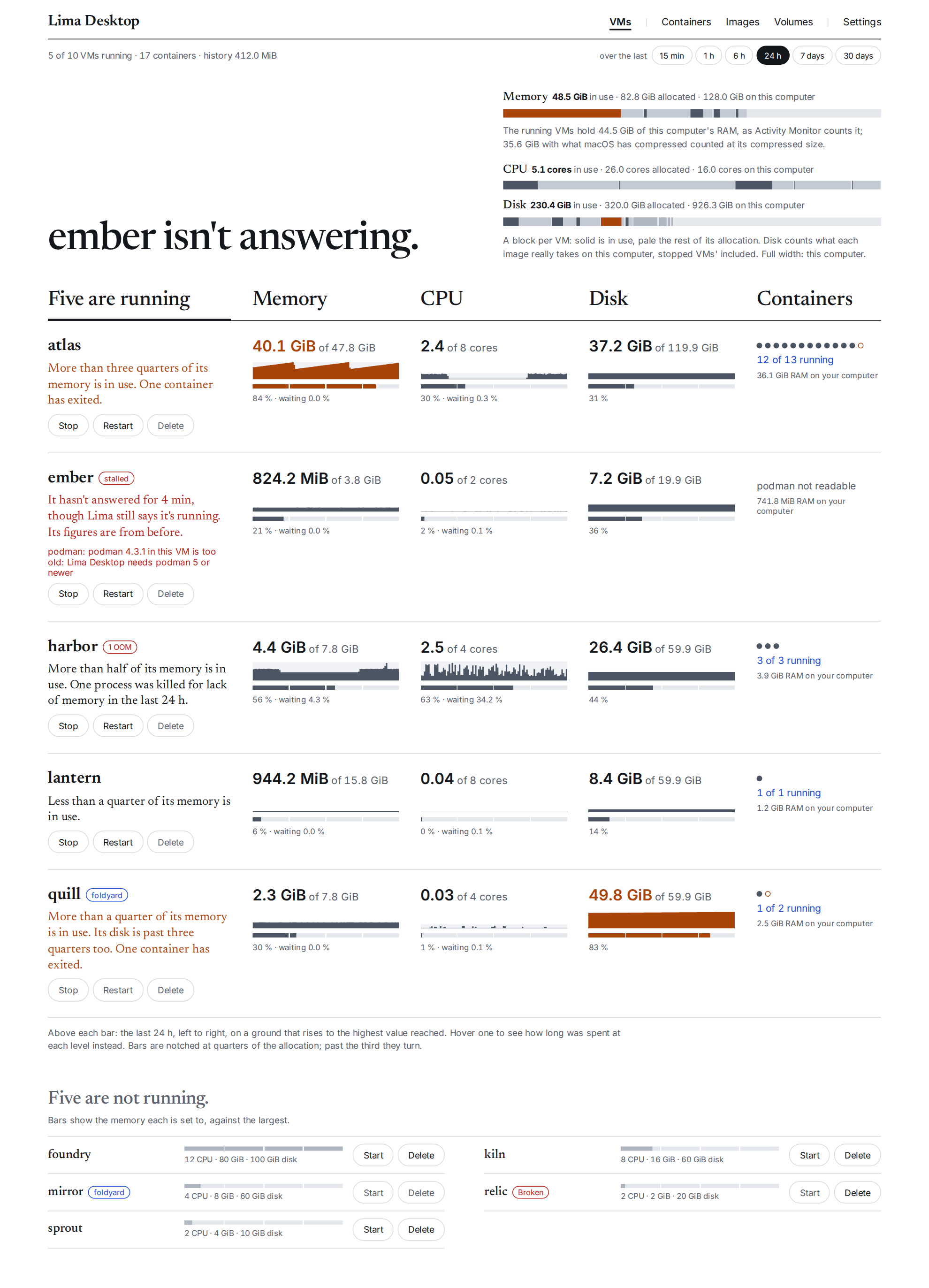
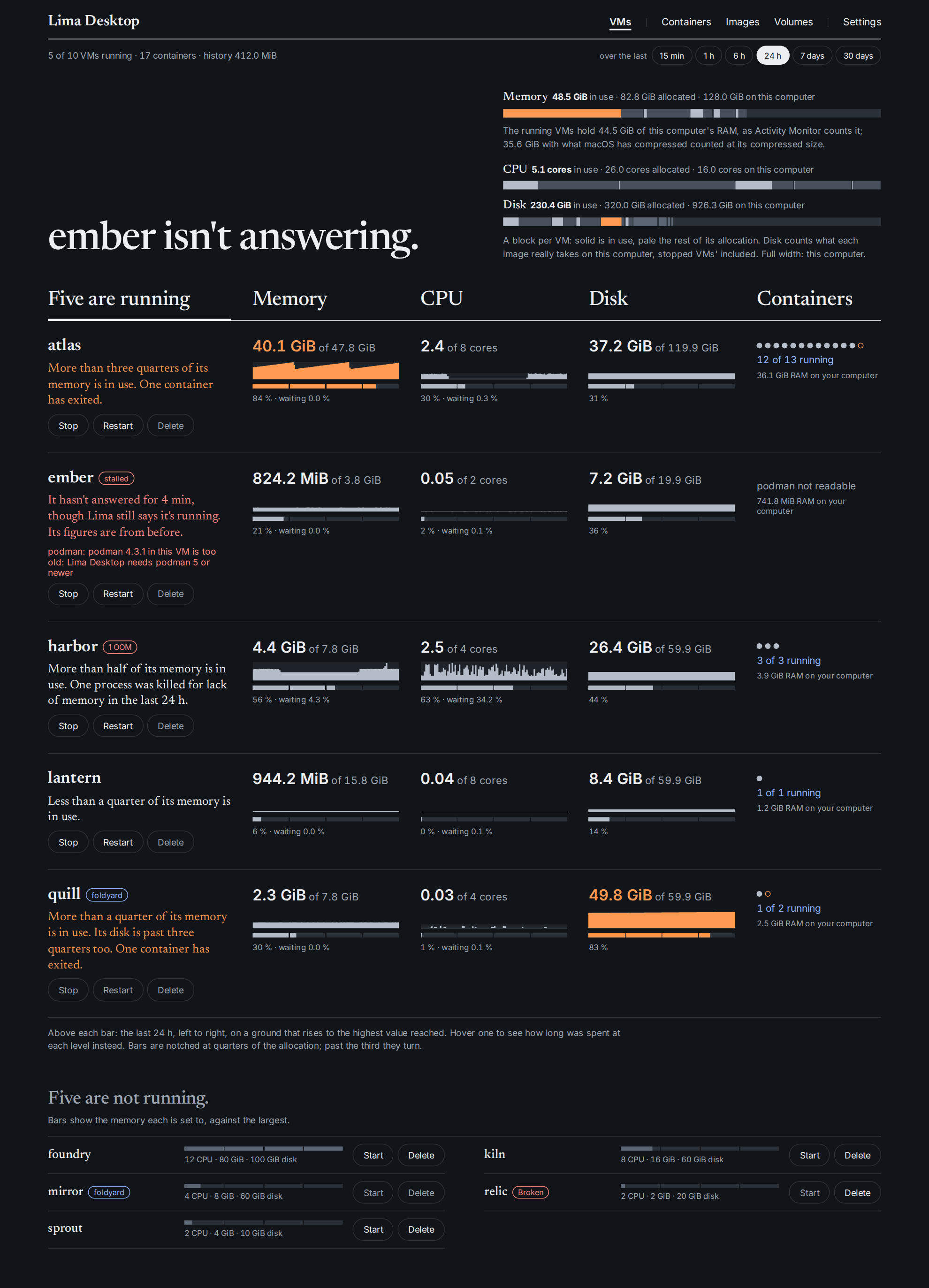
- Every Lima instance, live: status, allocation vs use, memory/CPU pressure (PSI), OOM kills, and what each VM costs your computer (hypervisor RAM/CPU, the disk image's real size).
- Start, stop, restart, delete; resize CPUs/memory/disk of a stopped VM, with right-sizing hints from the history (peaks, p95, pressure, OOM kills).
- Containers per VM, grouped by compose project, with live CPU/memory/peak/net; start, stop,
restart, remove, logs, inspect;
podman system df. - History at 1 Hz kept 7 days, per-minute rollups a year, in SQLite (~0.7 GB/week for 10 VMs and 100 containers — measured).
- The whole computer's memory, CPU and disk in the menu bar, the VMs' part drawn in, in orange past a threshold you choose; click one for what's using it: each VM and its containers, and the busiest apps outside them.
- Instances owned by another tool (e.g. foldyard) can say so with a managed-by marker; the app leaves the operations they keep alone.
Nothing is installed in the guests: the app reads them over Lima's own ssh and talks to podman over the socket Lima already forwards.
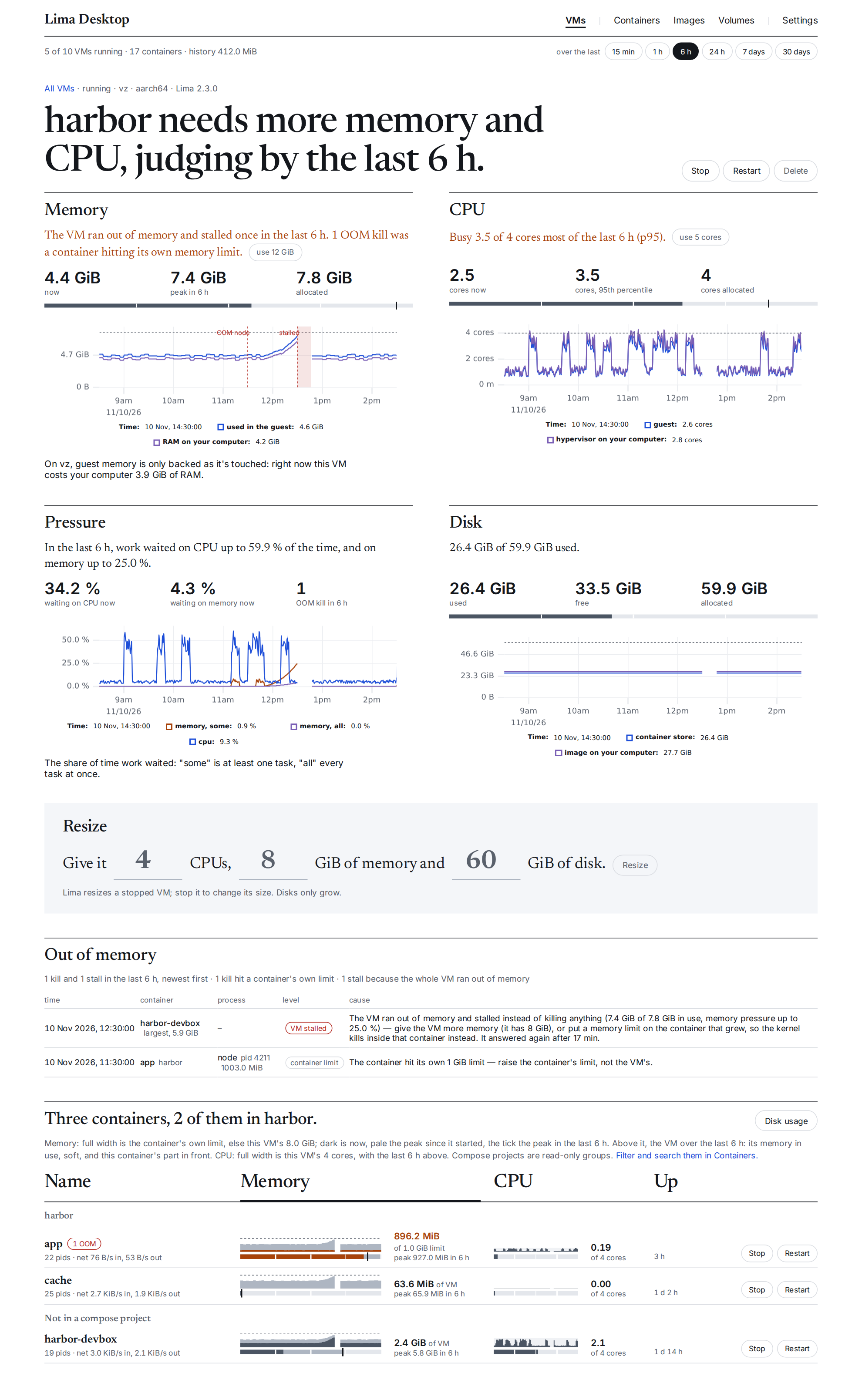
A VM's page: what it needs, and why.
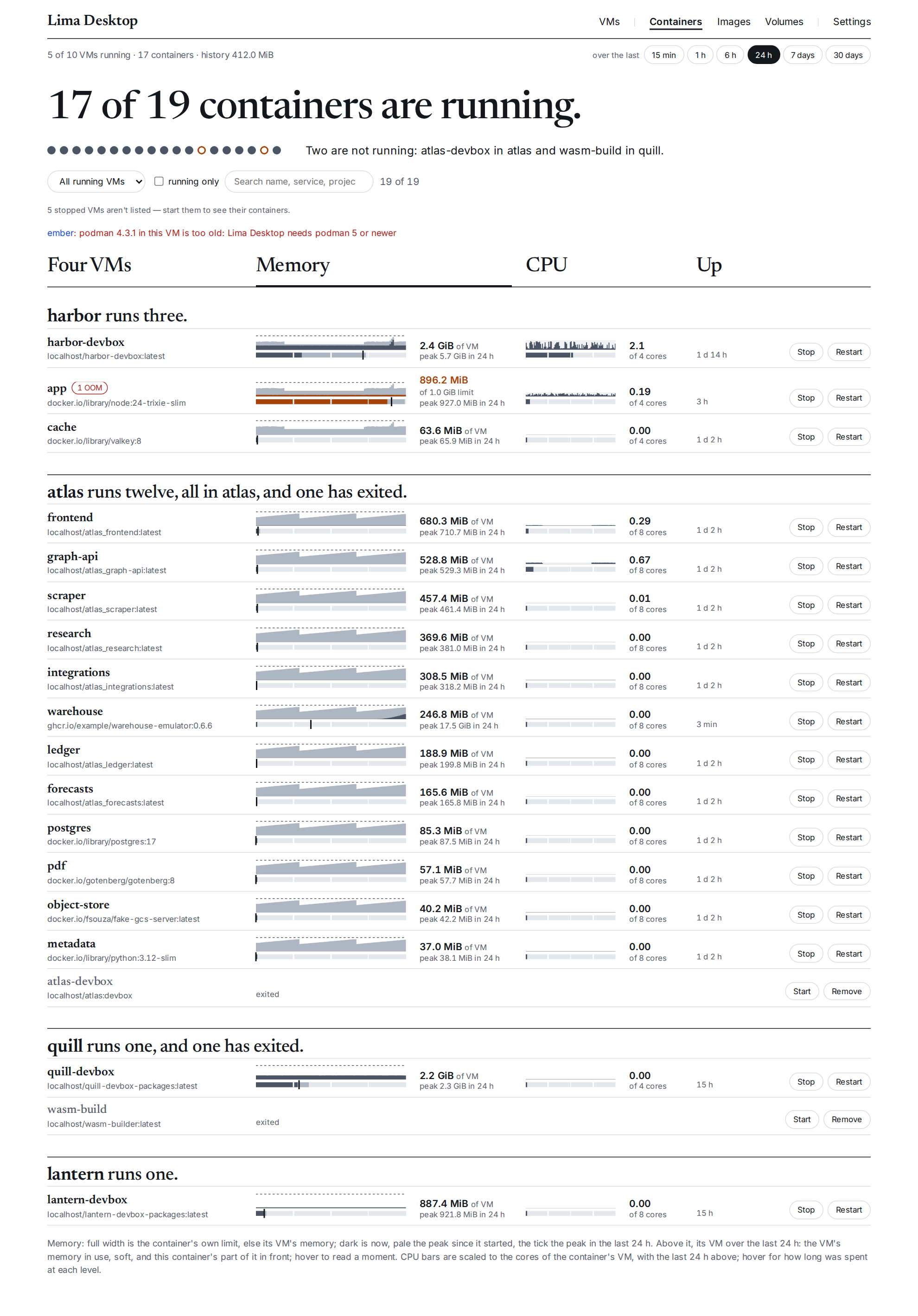
Containers, across every running VM.
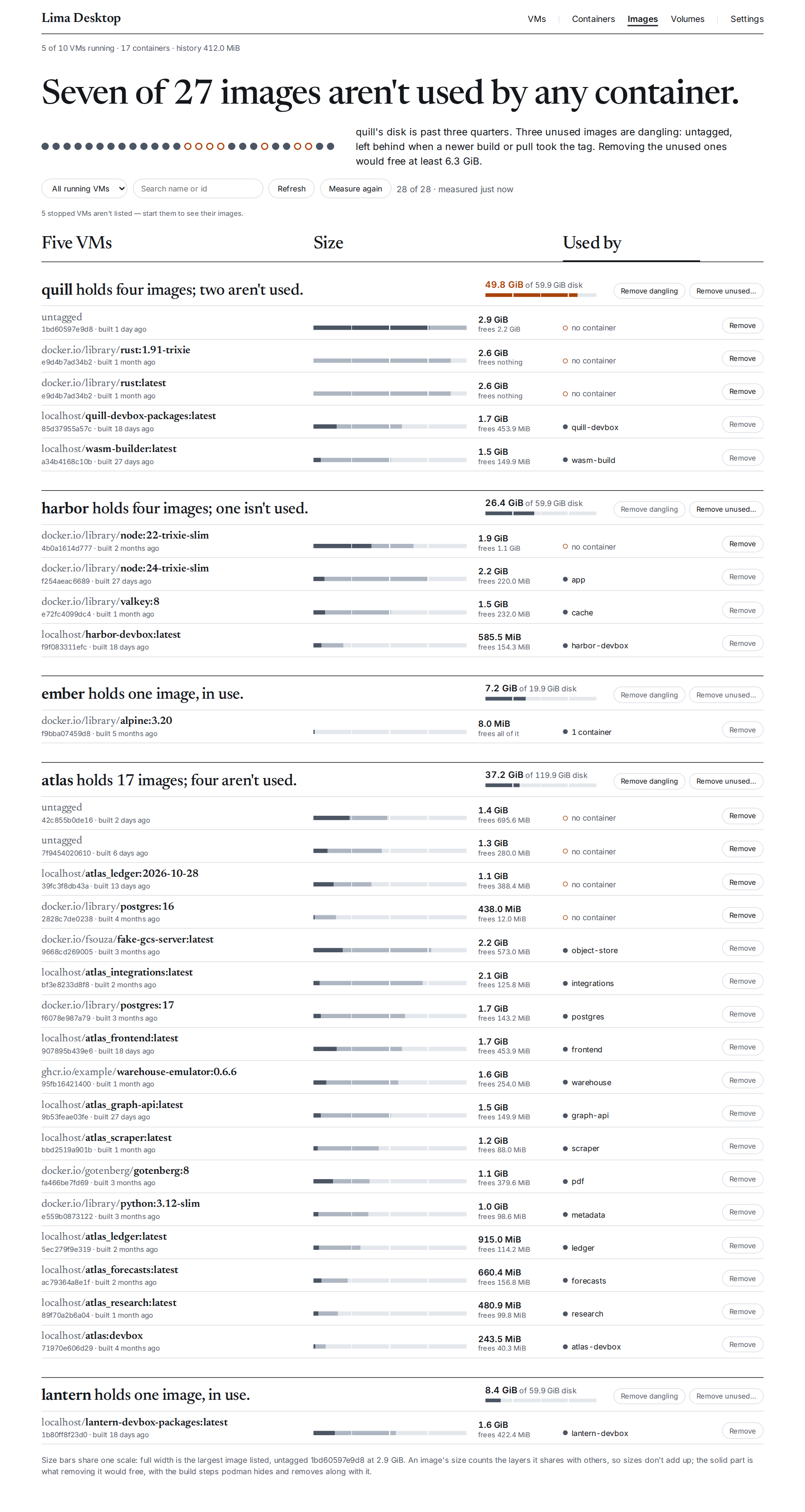
Images, and what removing the unused ones would free.
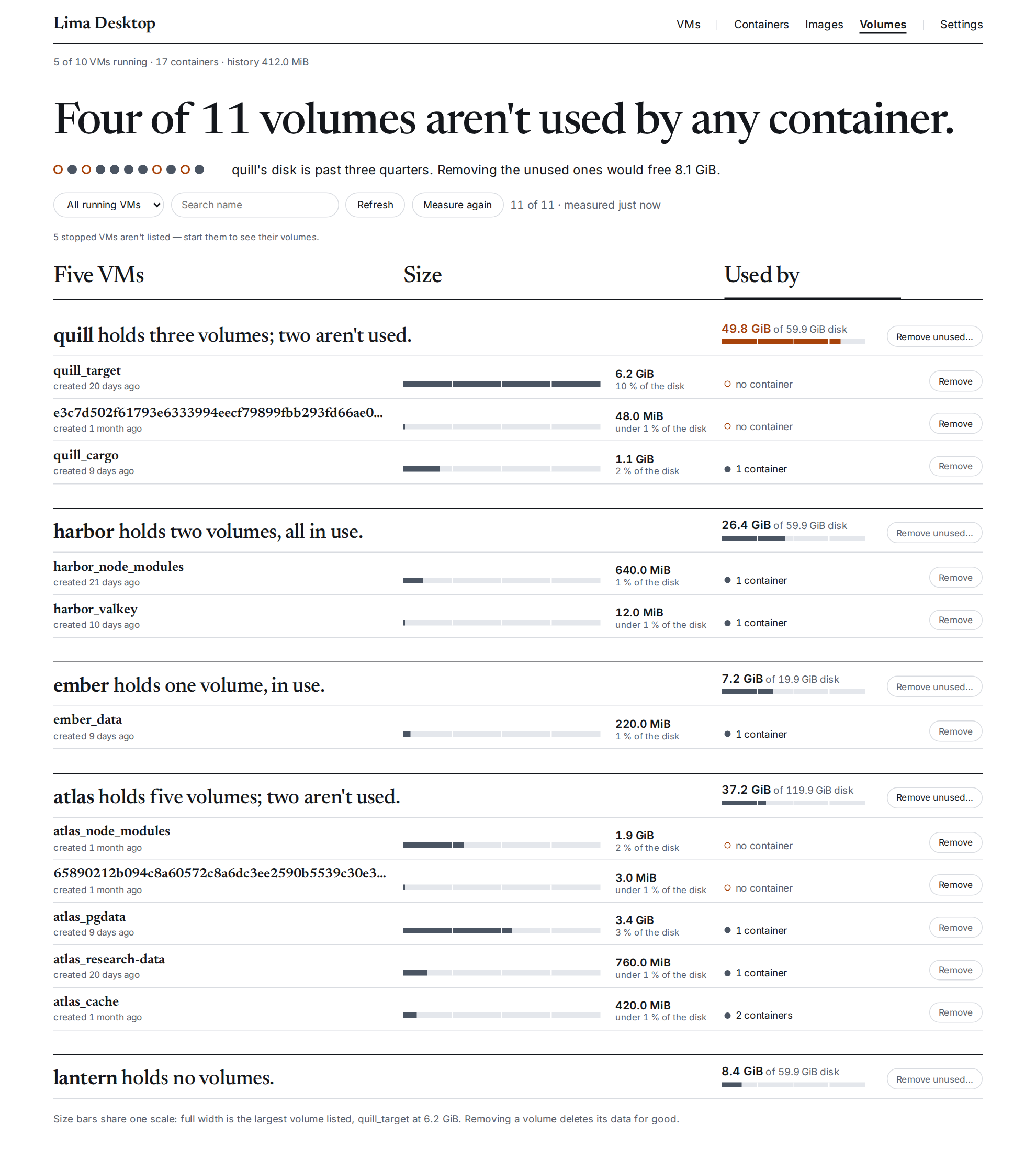
Volumes, with their sizes and who uses them.
The menu bar: memory, CPU and disk at a glance, and the popover under each.


The screenshots are of invented data: CI draws them from the UI's browser tests
(e2e-ui/) after each merge to main and publishes them
here. The menu bar's pictures are the exception, as only
macOS can draw its items: just readme-menubar redraws them on a Mac, into
docs/img/, to commit. The look is described in
docs/design/ui.md.
Download it from Releases: a universal .dmg
for macOS (Apple silicon and Intel), and a .deb or an AppImage for Linux (x86_64). It needs Lima 2
(limactl).
The macOS build isn't signed with an Apple Developer ID yet. macOS quarantines anything downloaded, so it refuses to open the app and says it "is damaged" or "can't be checked". After dragging the app to Applications, remove the quarantine once:
xattr -dr com.apple.quarantine "/Applications/Lima Desktop.app"You can also build it yourself. On macOS you need Xcode's command-line tools
(xcode-select --install), a current stable Rust, and Node 24 with pnpm 10
(corepack enable pnpm). Then:
git clone https://github.com/daaain/lima-desktop.git && cd lima-desktop
pnpm install
pnpm tauri build --bundles app
cp -R "src-tauri/target/release/bundle/macos/Lima Desktop.app" /Applications/
The first build takes a few minutes. You built it on your own Mac, so Gatekeeper opens it without
asking about signing. It needs limactl (Lima 2) on the Mac, and it finds it even when you launch
the app from Finder.
On Linux, first install WebKitGTK and the other things Tauri builds against
(libwebkit2gtk-4.1-dev libgtk-3-dev librsvg2-dev, as listed in
Tauri's prerequisites). Then build a .deb with
pnpm tauri build --bundles deb or an AppImage with pnpm tauri build --bundles appimage.
See docs/development.md to develop and test, and docs/research/podman-desktop/ for the Podman Desktop survey this started from.