looking for the code-signed download? Click here
Connect-365 version 2.0 is here!
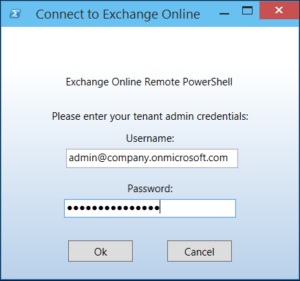
For those who don't know the history: back in 2012, I put together a basic script with a GUI to simplify connecting to Exchange Online via remote PowerShell. After a couple of years I realized it had been shared with so many colleagues and clients that I decided to clean it up and publish it on the TechNet Gallery and Connect-EXO was born! Here’s a screenshot of the original first version:
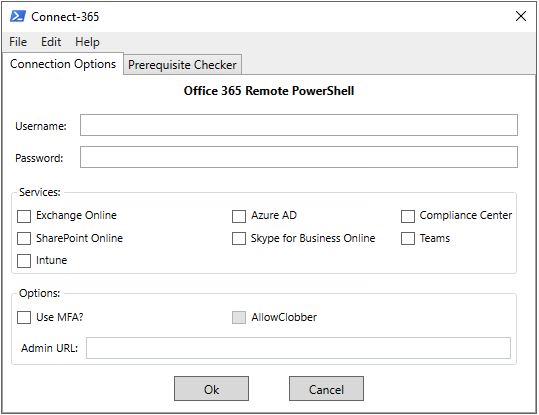
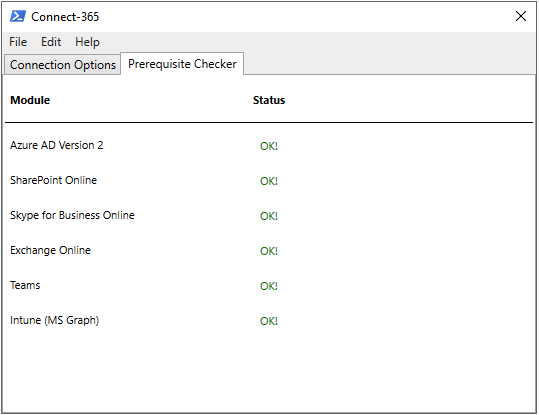
Over the years it became known as Connect-365, and when the TechNet Gallery shut down I moved the project to GitHub. The script itself features a GUI that prompts for your tenant credentials and then connects to various Microsoft 365 services using remote PowerShell. A built-in prerequisite checker ensures the correct modules are installed and provides a download link for those that are not. This original PowerShell version still exists today, but it hasn't had many updates in recent years:
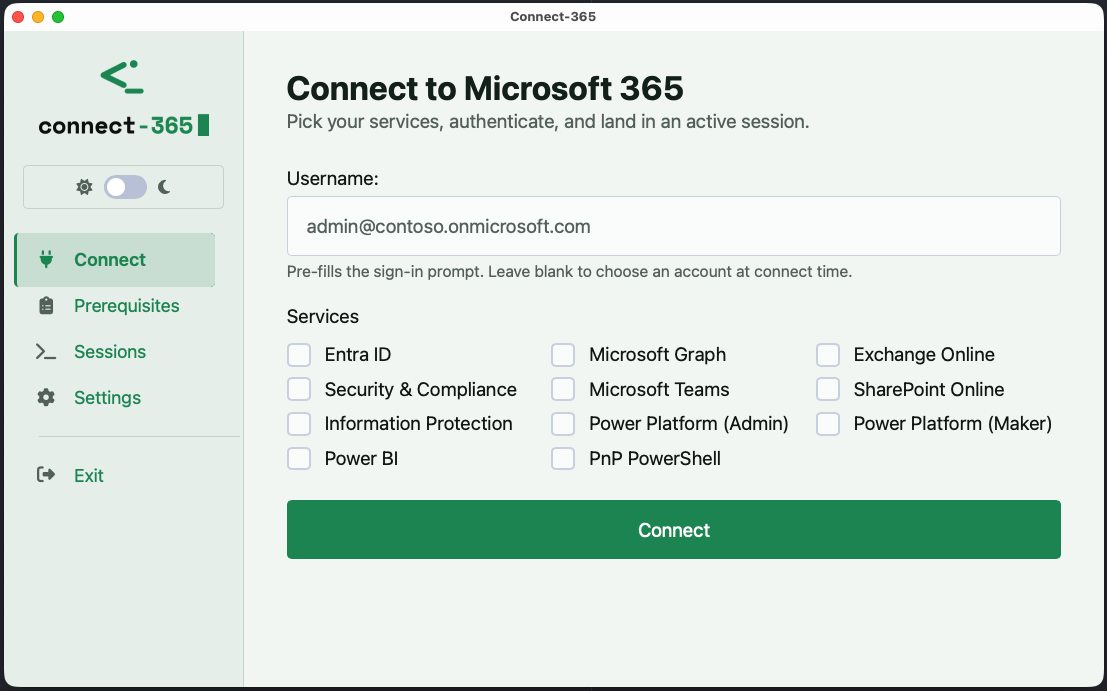
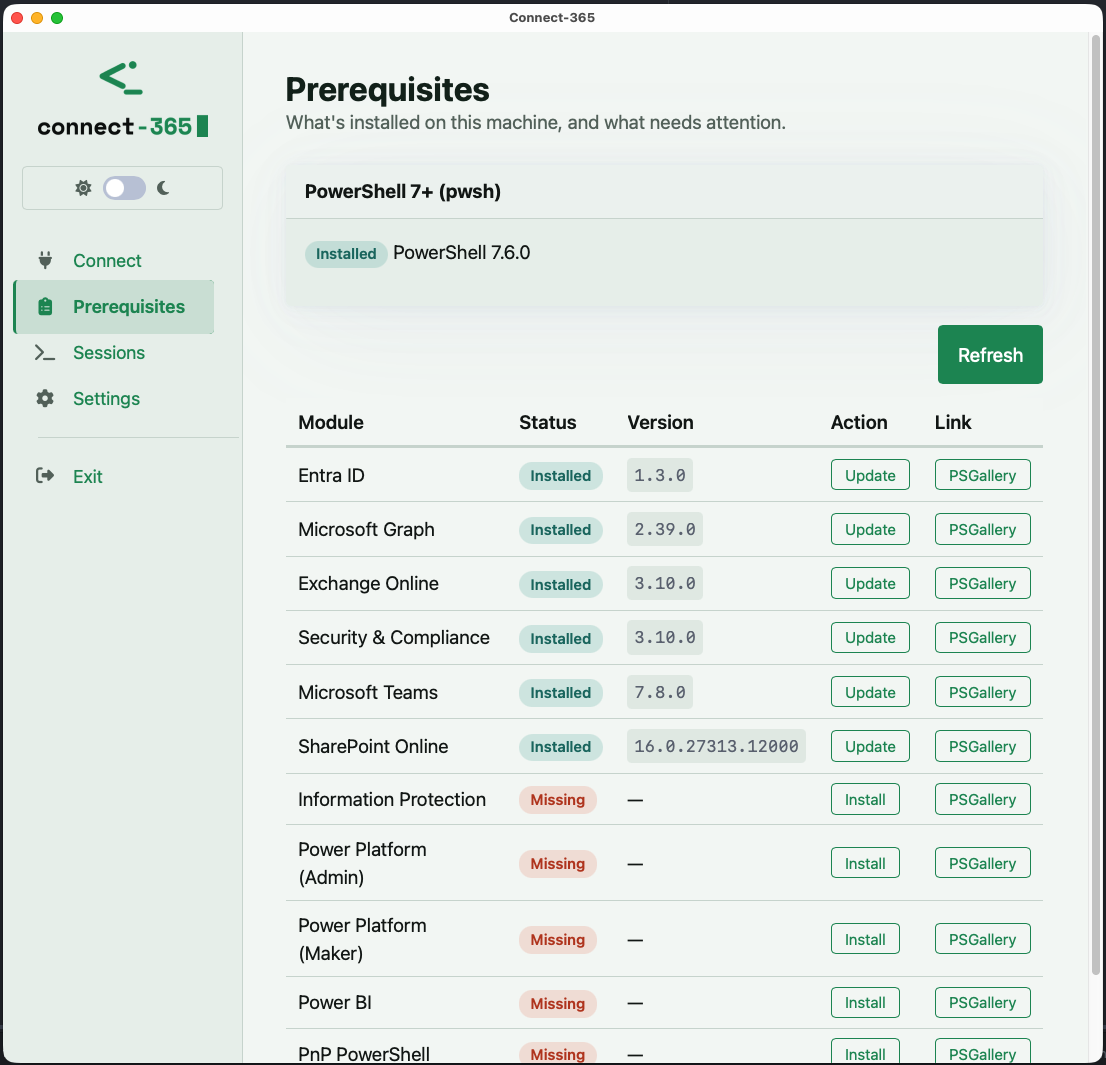
I've been planning a refresh for some time. Connect-365 is now a cross-platform app that runs on Windows, macOS and Linux, I've updated the module list to include the following:
| Display Name | Module Name | Connect Cmdlet |
|---|---|---|
| Entra ID | Microsoft.Entra |
Connect-Entra |
| Microsoft Graph | Microsoft.Graph |
Connect-MgGraph -Scopes @(...) |
| Exchange Online | ExchangeOnlineManagement |
Connect-ExchangeOnline |
| Security & Compliance (Purview) | ExchangeOnlineManagement |
Connect-IPPSSession |
| Microsoft Teams | MicrosoftTeams |
Connect-MicrosoftTeams |
| SharePoint Online | Microsoft.Online.SharePoint.PowerShell |
Connect-SPOService -Url <admin URL> |
| Information Protection (AIP) | AIPService |
Connect-AIPService |
| Power Platform (Admin) | Microsoft.PowerApps.Administration.PowerShell |
Add-PowerAppsAccount |
| Power Platform (Maker) | Microsoft.PowerApps.PowerShell |
Add-PowerAppsAccount |
| Power BI | MicrosoftPowerBIMgmt |
Connect-PowerBIServiceAccount |
| PnP PowerShell | PnP.PowerShell |
Connect-PnPOnline -Url <url> -Interactive |
One of the new features that I'm really excited about is 'quick scopes' for Graph. No more guessing what access you need for certain tasks - I've pre-configured the following:
| Profile | Scopes |
|---|---|
| User Administration | User.ReadWrite.All, Group.ReadWrite.All, Directory.Read.All |
| Identity & Access | Policy.ReadWrite.ConditionalAccess, Policy.Read.All, RoleManagement.ReadWrite.Directory |
| Device & Intune | DeviceManagementManagedDevices.ReadWrite.All, DeviceManagementConfiguration.ReadWrite.All |
| Applications | Application.ReadWrite.All, AppRoleAssignment.ReadWrite.All |
| Reports & Audit | AuditLog.Read.All, Reports.Read.All, Directory.Read.All |
This is a preview release so there are bugs and issues, if you encounter anything not captured below please let me know.
Known issues
- On macOS, closing a session's terminal window yourself (instead of using the app's Terminate button) can leave it showing as "active" longer than it should.
- Your username only pre-fills automatically for some services (Exchange, Compliance, Teams). For the rest, you'll always see a blank sign-in screen — that's expected, not a bug because of individual module limitations.
- The first connection to a new service can take up to a minute while PowerShell sets itself up. Later connections are much faster.
Not built yet
- Graceful termination of sessions.
- Automatic updates of 'quick profiles' list. The UI has a toggle for it, but it doesn't work yet.
- You can't disconnect a single service from an active session.
- Running multiple sessions at the same time works, but there's no dedicated way to manage them beyond starting and stopping each one.
- There's no way to save your service selections as a reusable profile yet.
Screenshots: