
A project where you can keep track of your goal's progress, and contribute to open source in the same time.
AsaKatsu is a Japanese term for waking up a little early to do something productive, in line with a goal. For example; read 4 books per month, do 100 days challenge, etc.
In this project, everyone who will commit will have to do a thing or two every morning and log the progress here.

ReactJs |

SCSS |

JavaScript |
Check out the website: Asakatsu-Website
Before installation, please make sure you have already installed the following tools:
If you're not comfortable with command line, here are tutorials using GUI tools._
If you don't have git on your machine, install it.
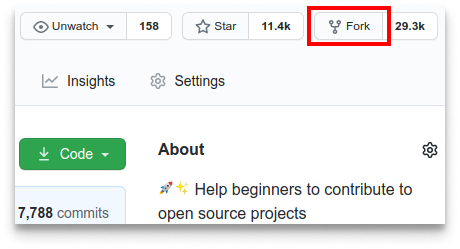
Fork this repository by clicking on the fork button on the top of this page. This will create a copy of this repository in your account.
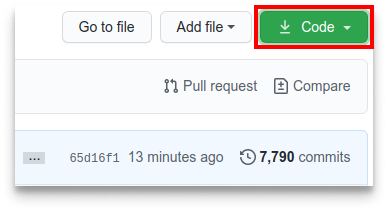
Now clone the forked repository to your machine. Go to your GitHub account, open the forked repository, click on the code button and then click the copy to clipboard icon.
Open a terminal and run the following git command:
git clone "url you just copied"where "url you just copied" (without the quotation marks) is the url to this repository (your fork of this project). See the previous steps to obtain the url.
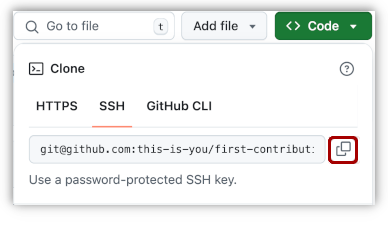
For example:
git clone https://github.com/asakatsuOrg/Asakatsu-Website.gitwhere this-is-you is your GitHub username. Here you're copying the contents of the Asakatsu-Website repository on GitHub to your computer.
Change to the repository directory on your computer (if you are not already there):
cd Asakatsu-WebsiteNow create a branch using the git switch command:
git switch -c your-new-branch-nameFor example:
git switch -c my-branchIf you want to join, add your name in Profile.json file.
- add your details in
Profile.jsonfile
File location:
./Profile.json

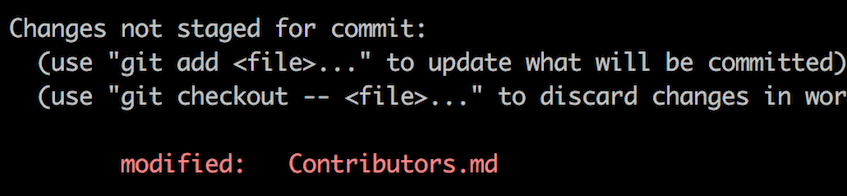
If you go to the project directory and execute the command git status, you'll see there are changes.
Add those changes to the branch you just created using the git add command:
git add Contributors.mdNow commit those changes using the git commit command:
git commit -m "Add your-name to Contributors list"replacing your-name with your name.
Push your changes using the command git push:
git push origin -u my-branchreplacing my-branch with the name of the branch you created earlier.
If you get any errors while pushing, click here:
-
remote: Support for password authentication was removed on August 13, 2021. Please use a personal access token instead.
remote: Please see https://github.blog/2020-12-15-token-authentication-requirements-for-git-operations/ for more information.
fatal: Authentication failed for 'https://github.com/asakatsuOrg/Asakatsu-Website.git'
Go to GitHub's tutorial on generating and configuring an SSH key to your account.
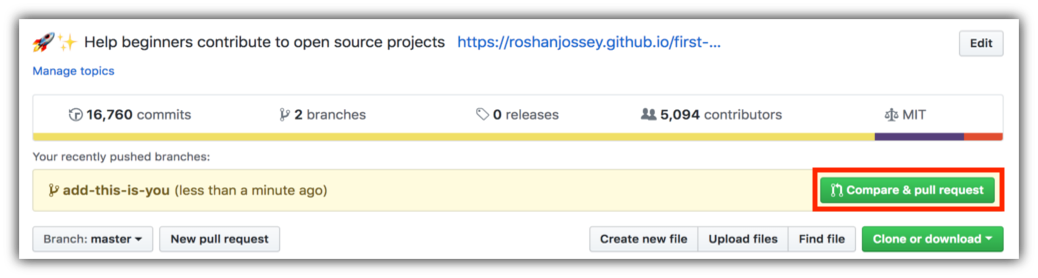
If you go to your repository on GitHub, you'll see a Compare & pull request button. Click on that button.
Now submit the pull request.
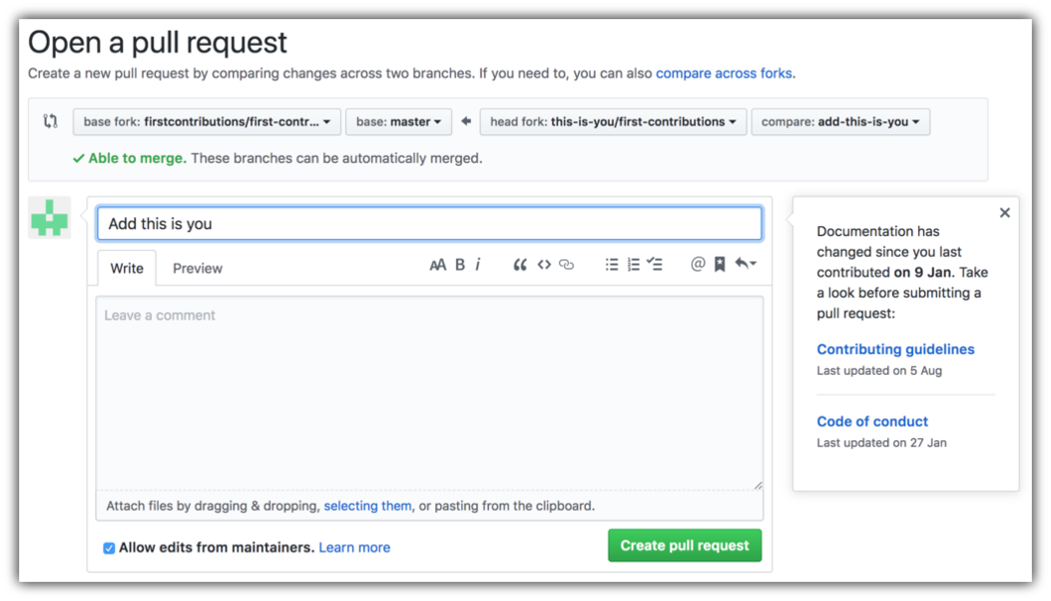
Soon we'll be merging all your changes into the main branch of this project. You will get a notification email once the changes have been merged.
Congrats! You just completed the standard fork -> clone -> edit -> pull request workflow that you'll often encounter as a contributor!
Celebrate your contribution and share it with your friends and follower our Organisation by going to AsakatsuOrg.
Our team will be creating a group server where if you need any help or have any questions you can easy get help soon AsakatsuOrg.
- Contributions make the open source community such an amazing place to learn, inspire, work together and create amazing stuffs.
- Any contributions you make are greatly appreciated.
- Check out our contribution guidelines for more information.
Asakatsu-Website is licensed under the Apache License 2.0 - see the LICENSE file for details.
Thanks a lot for spending your time helping Asakatsu-Website become better. Thanks a lot! Keep the momentum high🔥
This project needs a star️ from you. Don't forget to leave a star✨