Skip to content

Preserve web PDF attachment selection during carousel resize - #107691

Open
MelvinBot wants to merge 2 commits into
mainfrom
claude-safariAttachmentResize
Open

MelvinBot wants to merge 2 commits into
mainfrom
claude-safariAttachmentResize

Conversation

@MelvinBot

@MelvinBot MelvinBot commented Nov 23, 2026 •

Copy link
Copy Markdown
Contributor

Explanation of Change

Implement the approved Safari/web carousel proposal without changing native behavior or removing PDF lazy mounting.

  • Measure the actual list viewport so cells and scroll offsets use the available width rather than only window dimensions.
  • Preserve the selected attachment while viewport width, cell width, and scroll restoration disagree. Validate visibility against live geometry before dismissing the keyboard or navigating; empty, ambiguous, stale, and unchanged results no longer remove PDF focus.
  • Restore the preserved page without animation after layout and confirm the actual offset, including a scheduled check when no further list event follows. Normal scrolling can update selection even when FlatList suppresses a repeated viewability callback.
  • Keep the FlatList callback stable for its lifetime while forwarding current committed values. Keep local selection and external route changes synchronized without duplicate navigation, including after fullscreen exit.
  • Extend regression coverage for resize ordering, missing callbacks, fractional/repeated widths, callback identity/freshness, external selection changes, fullscreen, and subsequent navigation.

Review follow-up: Scroll and viewability handlers now only inspect geometry; they cannot restore over an in-progress swipe. Restoration is invalidated after attachment-count changes and external page changes, even at unchanged width, while local navigation acknowledgements do not force restoration. Each accepted event reuses one geometry snapshot rather than measuring twice. Added regression cases for invalid/empty initial content becoming valid and deletion before an interior/final selection.

Manual evidence reported by huult at the previous revision (a6fbd16e734): iOS Simulator Mobile Safari retained the selected protected PDF and open password form on portrait-to-landscape rotation; Safari before/after comparison with main was not completed. Chromium staging stress tests with 10 attachments retained page/attachment identity and working navigation through repeated resizes and arrow navigation. The password form closing on landscape-to-portrait was reported as identical with the base carousel file and is outside this change. These results were supplied by the requester, not independently rerun here; the follow-up changes still need real Safari verification, particularly a swipe while resize restoration remains unsettled. Automated geometry mocks cannot establish Safari keyboard behavior.

Created upstream because Melvin does not have push access to huult's fork. To move the branch to your fork:

git remote add upstream https://github.com/Expensify/App.git
git fetch upstream claude-safariAttachmentResize
git checkout -b claude-safariAttachmentResize upstream/claude-safariAttachmentResize
git push -u origin claude-safariAttachmentResize

Then close this draft and open a replacement from your fork if desired.

Fixed Issues

$ #103531
PROPOSAL: #103531 (comment)

Tests

Preconditions:

  • Use the native iOS staging app containing this PR's changes.
  • There is a 1:1 chat with several attachments uploaded (images, videos, and files).
  • The user has already uploaded a password-protected PDF into this chat.
  1. Open the Expensify app and log in as the user from the Preconditions.
  2. Navigate to the chat from the Preconditions.
  3. Tap the password-protected PDF preview.
  4. Tap Enter the password.
  5. While the password field is focused, rotate the device to landscape.
  6. Verify that the user remains on the same password-protected PDF screen, the password input remains open, and no other attachment opens.
  • Verify that no errors appear in the JS console

Additional web regression steps (also run in Mobile Safari)

  1. Open a chat with several attachments, including a password-protected PDF that is not first. Open its password form, focus the field, and rotate to landscape. Verify the same PDF and form remain open and no other attachment opens.
  2. Resize repeatedly at the final attachment, navigate with arrows before/after resizing, and resize immediately after starting navigation. Verify the displayed attachment and route stay synchronized and navigation continues working.
  3. While a later attachment remains open, delete an attachment preceding it from another session. Verify the same attachment remains selected at its new index, then verify navigation works in both directions. Repeat with the final attachment selected.
  4. On real Safari, begin swiping immediately during resize/content relayout. Verify event callbacks do not pull the swipe back to the previously selected attachment. This scenario is not yet independently verified.

Offline tests

// TODO: The human co-author must fill out the relevant offline verification before marking this PR as "ready for review".

QA Steps

Preconditions:

  • Use the native iOS staging app containing this PR's changes.
  • There is a 1:1 chat with several attachments uploaded (images, videos, and files).
  • The user has already uploaded a password-protected PDF into this chat.
  1. Open the Expensify app and log in as the user from the Preconditions.
  2. Navigate to the chat from the Preconditions.
  3. Tap the password-protected PDF preview.
  4. Tap Enter the password.
  5. While the password field is focused, rotate the device to landscape.
  6. Verify that the user remains on the same password-protected PDF screen, the password input remains open, and no other attachment opens.
  • Verify that no errors appear in the JS console

Also perform the four Additional web regression steps from Tests on the staging web build, including Mobile Safari. The native iOS steps above remain a separate regression check, not a replacement for web verification.

AI Tests

Follow-up verification at 5d7dc02bf1:

  • Passed the focused carousel suite: 20/20 tests, including invalid/empty-state recovery, deletion before interior/final selections, and no event-driven restoration during unsettled geometry.
  • Passed the full Jest suite: 2,556 suites, 42,390 tests, and 161 snapshots; 1 suite and 146 tests skipped.
  • Passed npm run typecheck on retry (the first concurrent run failed the Jest project without diagnostics; an isolated rerun and the subsequent complete run passed).
  • Passed explicit-file lint and React Compiler checks for the changed component/tests, and Storybook smoke testing. The oxfmt pre-commit hook formatted both changed files successfully. Read-only AI review found no violations.
  • Full lint is blocked by the pre-existing, uncommitted CI LogBox injection; that file was not included in the commit. lint-changed could not find a merge base in this shallow checkout; a history-fetch attempt and spell-changed timed out fetching origin/main. The matrix's prettier script is not defined. The default compiler changed-files command resolves an empty base ref to origin/; the explicit-file check passed instead.
  • Real Safari verification of the follow-up changes was unavailable. No Android result is used as evidence for web/Safari behavior.

Original implementation verification (before this follow-up):

  • Passed npm run lint and npm run lint-changed.
  • Passed npm run typecheck for all configured projects.
  • Passed npm test -- --silent --maxWorkers=2: 2,556 suites and 42,386 tests passed; 1 suite and 146 tests skipped; 161 snapshots passed.
  • Passed the focused carousel/navigation/PDF-focus checks: 27 tests across three suites, rerun after formatting.
  • Passed npm run storybook -- --smoke-test --ci and npm run spell-changed.
  • Passed the repository's oxfmt pre-commit hook. The matrix's npm run prettier -- --log-level error command cannot run because this checkout no longer defines a prettier script.
  • npm run react-compiler-compliance-check check-changed encountered an existing environment issue: the empty base ref resolves to origin/. The explicit-file compiler check passed for the changed component instead.
  • Final AI code review reported no remaining coding-standard violations or correctness findings.
  • Browser verification: blocked, not a product regression. Available Chrome/Linux session was suspended and returned zero UI nodes. Real Safari remains unverified and is required before review.

PR Author Checklist

  • I linked the correct issue in the ### Fixed Issues section above
  • I wrote clear testing steps that cover the changes made in this PR
    • I added steps for local testing in the Tests section
    • I added steps for the expected offline behavior in the Offline steps section
    • I added steps for Staging and/or Production testing in the QA steps section
    • I added steps to cover failure scenarios (i.e. verify an input displays the correct error message if the entered data is not correct)
    • I turned off my network connection and tested it while offline to ensure it matches the expected behavior (i.e. verify the default avatar icon is displayed if app is offline)
    • I tested this PR with a High Traffic account against the staging or production API to ensure there are no regressions (e.g. long loading states that impact usability).
  • I included screenshots or videos for tests on all platforms
  • I ran the tests on all platforms & verified they passed on:
    • Android: Native
    • Android: mWeb Chrome
    • iOS: Native
    • iOS: mWeb Safari
    • MacOS: Chrome / Safari
  • I verified there are no console errors (if there's a console error not related to the PR, report it or open an issue for it to be fixed)
  • I verified any copy / text that was added to the app is either coming verbatim from figma or has been approved by marketing (in order to get marketing approval, ask the Bug Zero team member to add the Waiting for copy label to the issue)
  • If a new code pattern is added I verified it was agreed to be used by multiple Expensify engineers
  • I tested other components that can be impacted by my changes (i.e. if the PR modifies a shared library or component like Avatar, I verified the components using Avatar are working as expected)
  • If new assets were added or existing ones were modified, I verified that:
    • The assets are optimized and compressed (for SVG files, run npm run compress-svg)
    • The assets load correctly across all supported platforms.
  • If the PR modifies code that runs when editing or sending messages, I tested and verified there is no unexpected behavior for all supported markdown - URLs, single line code, code blocks, quotes, headings, bold, strikethrough, and italic.
  • If the PR modifies a generic component, I tested and verified that those changes do not break usages of that component in the rest of the App (i.e. if a shared library or component like Avatar is modified, I verified that Avatar is working as expected in all cases)
  • If the PR modifies a component related to any of the existing Storybook stories, I tested and verified all stories for that component are still working as expected.
  • If the PR modifies a component or page that can be accessed by a direct deeplink, I verified that the code functions as expected when the deeplink is used - from a logged in and logged out account.
  • If the PR modifies the UI (e.g. new buttons, new UI components, changing the padding/spacing/sizing, moving components, etc) or modifies the form input styles:
    • I verified that all the inputs inside a form are aligned with each other.
    • I added Design label and/or tagged @Expensify/design so the design team can review the changes.
  • If the PR adds or modifies the UI:
    • I asked an AI agent to review the changes for accessibility issues and addressed its findings.
    • I tested with a screen reader (VoiceOver on macOS) and verified all new/changed elements are reachable with a logical focus order.
    • I verified all new/changed elements have meaningful accessible names and roles.
    • I verified state changes are announced (e.g. checked/unchecked, expanded/collapsed, selected).
  • I added unit tests for any new feature or bug fix in this PR to help automatically prevent regressions in this user flow.
  • If the main branch was merged into this PR after a review, I tested again and verified the outcome was still expected according to the Test steps.

Screenshots/Videos

Web verification setup blocker only; not evidence of successful Safari/PDF-flow verification:

Blocked web session with no accessible app UI

Android: Native
Android: mWeb Chrome
iOS: Native
iOS: mWeb Safari
MacOS: Chrome / Safari

Co-authored-by: huult <huult@users.noreply.github.com>
@MelvinBot
MelvinBot requested a review from a team November 23, 2026 03:22
@melvin-bot melvin-bot Bot added Melvin-Test-Android Melvin-Test-Web Triggers Melvin to run the testing steps of the PR on web labels Nov 23, 2026
@codecov

codecov Bot commented Nov 23, 2026 •

Copy link
Copy Markdown

Codecov Report

✅ Changes either increased or maintained existing code coverage, great job!

Files with missing lines Coverage Δ
...ttachmentCarousel/AttachmentCarouselView/index.tsx 93.47% <96.93%> (+2.82%) ⬆️
... and 36 files with indirect coverage changes

@MelvinBot

MelvinBot commented Nov 23, 2026 •

Copy link
Copy Markdown
Contributor Author

🤖 Android test steps verification results: ⚠️ partial

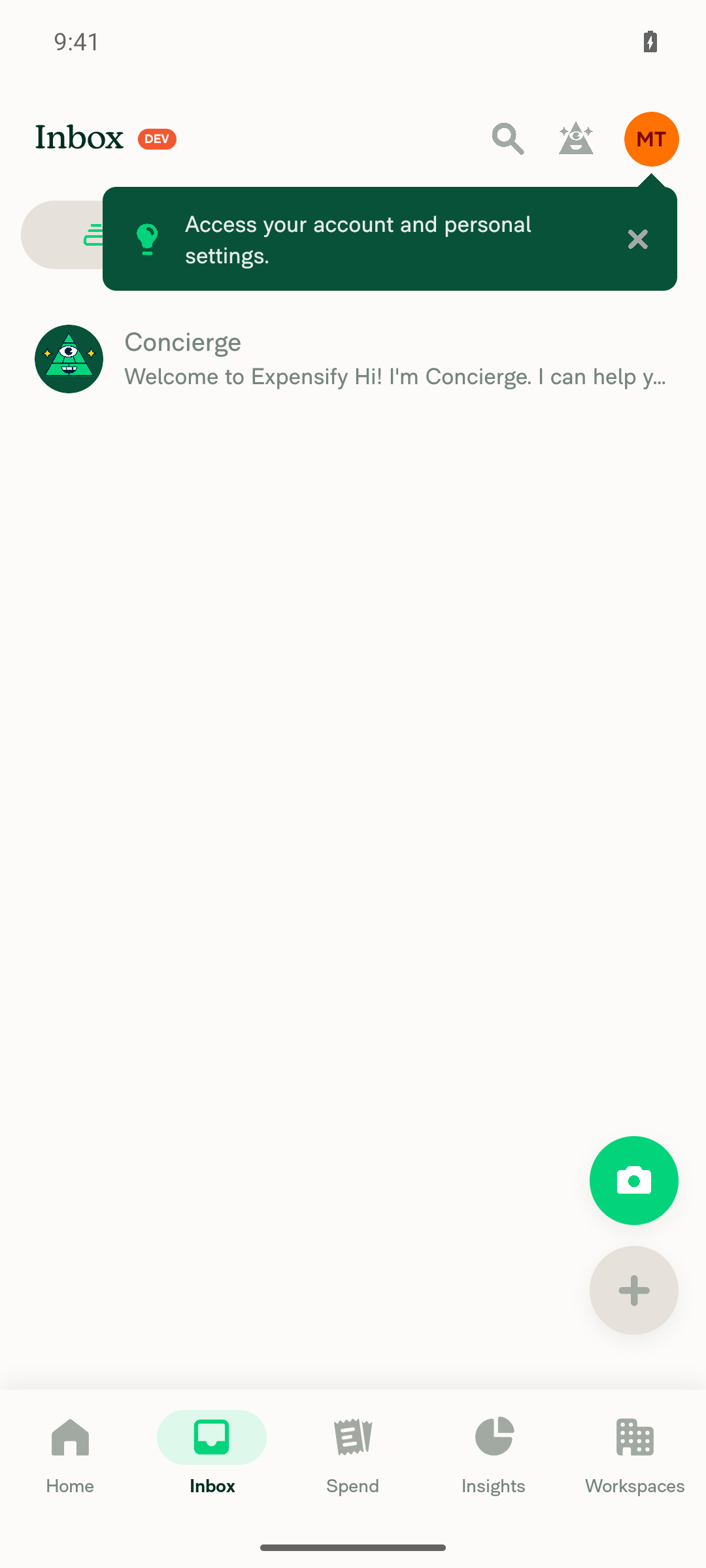
Android NewDot opened with a fresh signed-in account, but the required attachment chat and protected PDF were missing, blocking all PDF test cases. The running revision could not be independently confirmed; Safari behavior was not tested.

Android Inbox showing only Concierge; required attachment chat is absent

Step Status
1. Open app and log in as fixture userApp opened signed in, but with a fresh account rather than the required fixture user.
❌
2. Open chat with multiple attachments and a non-first protected PDFBlocked: Inbox contains only Concierge. A prepared attachment chat and known PDF password are needed.
Android Inbox showing only Concierge; required attachment chat is absent
❌
3. Tap protected PDF previewNot executed: PDF fixture unavailable.
❌
4. Tap Enter the password and focus password fieldNot executed: PDF fixture unavailable.
❌
5. Rotate landscape while focused; retain attachment and password screenNot executed: PDF fixture unavailable.
❌
Retain text and focus through repeated rotations, with Confirm reachableNot executed: PDF fixture unavailable.
❌
Wrong-password retryNot executed: PDF fixture unavailable.
❌
Successful password unlockNot executed: protected PDF and known password unavailable.
❌
Navigate away/back and swipe attachments after rotationNot executed: attachment chat unavailable.
❌
No JavaScript console errorsNot verified: log capture was inactive, so absence of errors cannot be asserted.
❌

view run · view recording

@MelvinBot

MelvinBot commented Nov 23, 2026 •

Copy link
Copy Markdown
Contributor Author

🤖 Web test steps verification results: ⚠️ partial

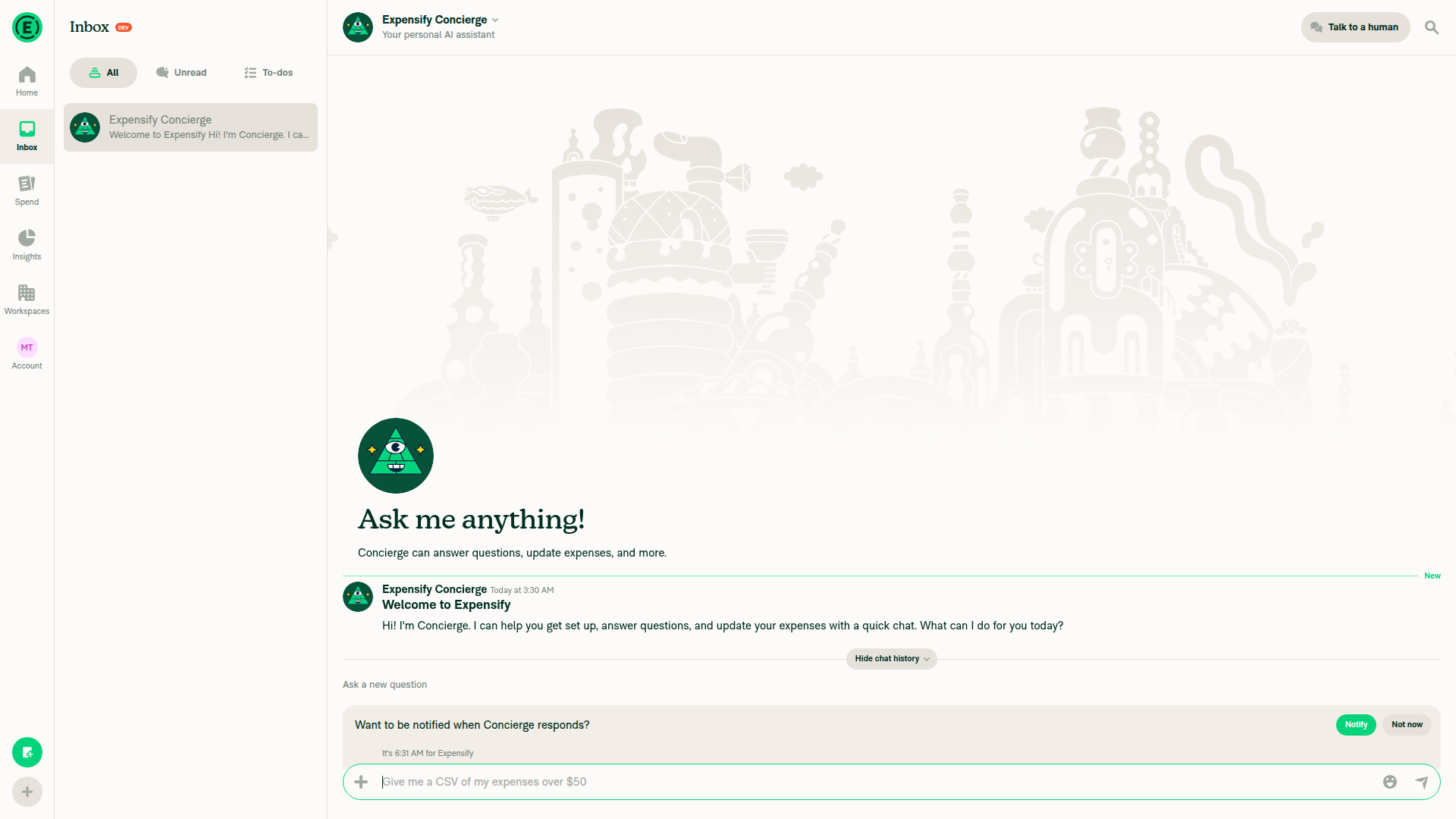
Web testing in Chrome was blocked: the fresh signed-in account contained only Concierge, with no required attachment chat, protected PDF, or known password. The served revision could not be independently confirmed, and real Safari keyboard/rotation behavior remains unverified.

Inbox showing Concierge without the required attachment chat

Step Status
1. Open app and log in as fixture userApp was signed in and onboarded, but the account lacked the required fixture.
❌
2. Go to attachment chatBlocked: Inbox contained only Concierge; the required 1:1 attachment chat was unavailable.
Inbox showing Concierge without the required attachment chat
❌
3. Click protected PDF previewBlocked: protected PDF unavailable.
❌
4. Click Enter the password and focus inputNot tested: protected PDF unavailable.
❌
5. Resize to landscape while focused, retaining PDF and password screenNot tested: fixture unavailable. Chrome resizing would not validate real Safari keyboard/rotation behavior.
❌
Repeated rotations retain text, focus, and reachable ConfirmBlocked by missing fixture; real Safari validation also unavailable.
❌
Wrong-password retryNot tested: protected PDF unavailable.
❌
Successful unlockNot tested: protected PDF and known password unavailable.
❌
Subsequent swipe navigationNot tested: attachment sequence unavailable.
❌
Arrow navigationNot tested: attachment sequence unavailable.
❌
Tab navigationNot tested: attachment viewer unavailable.
❌
Navigation away and backNot tested: protected PDF state unavailable.
❌
Restoration across fractional widths/safe-area changes without navigation lockNot tested: fixture unavailable. Chrome resize cannot establish Safari safe-area behavior.
❌
No JavaScript console errorsNot verified: console collection was unavailable; absence of errors cannot be asserted.
❌

view run · view recording

@huult

huult commented Nov 23, 2026

Copy link
Copy Markdown
Contributor

@MelvinBot Please update the test steps and QA steps accordingly:

Preconditions:

  • Use the native iOS staging app containing this PR's changes.
  • There is a 1:1 chat with several attachments uploaded (images, videos, and files).
  • The user has already uploaded a password-protected PDF into this chat.
  1. Open the Expensify app and log in as the user from the Preconditions.
  2. Navigate to the chat from the Preconditions.
  3. Tap the password-protected PDF preview.
  4. Tap Enter the password.
  5. While the password field is focused, rotate the device to landscape.
  6. Verify that the user remains on the same password-protected PDF screen, the password input remains open, and no other attachment opens.

@MelvinBot

Copy link
Copy Markdown
Contributor Author

Updated both Tests and QA Steps with your exact preconditions and six steps for native iOS staging. Tests were not rerun.


view run

@huult

huult commented Nov 23, 2026

Copy link
Copy Markdown
Contributor

@MelvinBot ready for review

@MelvinBot
MelvinBot marked this pull request as ready for review November 23, 2026 03:59
@MelvinBot
MelvinBot requested a review from a team as a code owner November 23, 2026 03:59
@expensify-chore-bot
expensify-chore-bot Bot requested review from huult and removed request for a team November 23, 2026 03:59
@MelvinBot

Copy link
Copy Markdown
Contributor Author

Marked the PR as ready for review. Manual Safari and native iOS verification remain outstanding.


view run

@expensify-chore-bot

Copy link
Copy Markdown

@huult Please copy/paste the Reviewer Checklist from here into a new comment on this PR and complete it. If you have the K2 extension, you can simply click: [this button]

@expensify-chore-bot
expensify-chore-bot Bot requested review from trjExpensify and removed request for a team November 23, 2026 03:59
@chatgpt-codex-connector

chatgpt-codex-connector Bot commented Nov 23, 2026 •

Copy link
Copy Markdown
Codex Review Summary: ✅ Completed

This comment shows the latest Codex review activity on this pull request.

Review Status Commit Review trigger
📝 Code Review ✅ Completed 2026-11-23T04:02:26.172859Z a6fbd16 Draft marked ready
ℹ️ About Codex in GitHub

Your team has set up Codex to review pull requests in this repo. Reviews are triggered when you

  • Open a pull request for review
  • Mark a draft as ready
  • Comment "@codex review" or "@codex security review".

Codex reacts with 👀 while any review is running, comments if it has suggestions, and reacts with 👍 once all reviews finish with no findings.

@huult

huult commented Nov 23, 2026

Copy link
Copy Markdown
Contributor

Reviewer Checklist

  • I have verified the author checklist is complete (all boxes are checked off).
  • I verified the correct issue is linked in the ### Fixed Issues section above
  • I verified testing steps are clear and they cover the changes made in this PR
    • I verified the steps for local testing are in the Tests section
    • I verified the steps for Staging and/or Production testing are in the QA steps section
    • I verified the steps cover any possible failure scenarios (i.e. verify an input displays the correct error message if the entered data is not correct)
    • I turned off my network connection and tested it while offline to ensure it matches the expected behavior (i.e. verify the default avatar icon is displayed if app is offline)
  • I checked that screenshots or videos are included for tests on all platforms
  • I included screenshots or videos for tests on all platforms
  • I verified that the composer does not automatically focus or open the keyboard on mobile unless explicitly intended. This includes checking that returning the app from the background does not unexpectedly open the keyboard.
  • I verified tests pass on all platforms & I tested again on:
    • Android: HybridApp
    • Android: mWeb Chrome
    • iOS: HybridApp
    • iOS: mWeb Safari
    • MacOS: Chrome / Safari
  • If there are any errors in the console that are unrelated to this PR, I either fixed them (preferred) or linked to where I reported them in Slack
  • I verified any copy / text that was added to the app is either coming verbatim from figma or has been approved by marketing (in order to get marketing approval, ask the Bug Zero team member to add the Waiting for copy label to the issue)
  • If a new code pattern is added I verified it was agreed to be used by multiple Expensify engineers
  • I verified other components that can be impacted by these changes have been tested, and I retested again (i.e. if the PR modifies a shared library or component like Avatar, I verified the components using Avatar have been tested & I retested again)
  • If a new component is created I verified that:
    • A similar component doesn't exist in the codebase
    • All props are defined accurately
    • The component has a clear name that is non-ambiguous and the purpose of the component can be inferred from the name alone
    • The only data being stored in the state is data necessary for rendering and nothing else
    • The component has the minimum amount of code necessary for its purpose, and it is broken down into smaller components in order to separate concerns and functions
  • If the PR modifies code that runs when editing or sending messages, I tested and verified there is no unexpected behavior for all supported markdown - URLs, single line code, code blocks, quotes, headings, bold, strikethrough, and italic.
  • If the PR modifies a generic component, I tested and verified that those changes do not break usages of that component in the rest of the App (i.e. if a shared library or component like Avatar is modified, I verified that Avatar is working as expected in all cases)
  • If the PR modifies a component related to any of the existing Storybook stories, I tested and verified all stories for that component are still working as expected.
  • If the PR modifies a component or page that can be accessed by a direct deeplink, I verified that the code functions as expected when the deeplink is used - from a logged in and logged out account.
  • If the PR modifies the UI (e.g. new buttons, new UI components, changing the padding/spacing/sizing, moving components, etc) or modifies the form input styles:
    • I verified that all the inputs inside a form are aligned with each other.
    • I added Design label and/or tagged @Expensify/design so the design team can review the changes.
  • If the PR adds or modifies the UI:
    • I asked an AI agent to review the changes for accessibility issues and addressed its findings.
    • I tested with a screen reader (VoiceOver on macOS) and verified all new/changed elements are reachable with a logical focus order.
    • I verified all new/changed elements have meaningful accessible names and roles.
    • I verified state changes are announced (e.g. checked/unchecked, expanded/collapsed, selected).
  • For any bug fix or new feature in this PR, I verified that sufficient unit tests are included to prevent regressions in this flow.
  • If the main branch was merged into this PR after a review, I tested again and verified the outcome was still expected according to the Test steps.
  • I have checked off every checkbox in the PR reviewer checklist, including those that don't apply to this PR.

Screenshots/Videos

Android: HybridApp
Android: mWeb Chrome
iOS: HybridApp
iOS: mWeb Safari
MacOS: Chrome / Safari

@huult

huult commented Nov 23, 2026

Copy link
Copy Markdown
Contributor

@MelvinBot please check the findings below and update the PR / tests where it makes sense. Manual testing of this PR for #103531 (web build at a6fbd16e734):

What I tested

  • iOS Simulator + Mobile Safari: PDF password form focused, rotate to landscape. The user stays on the same password-protected PDF, the form stays open, and no other attachment opens (the reported "another attachment opens" did not reproduce). I did not compare against main in Safari, because the simulator runner got stuck, so the "before" in Safari is unverified on my side.
  • Playwright (Chromium) on staging, 10-attachment carousel: 6 resizes at the last page, arrow-key navigation before and after resize, arrow plus immediate resize, and a burst of 7 resizes. The selected page and attachmentID stayed in sync in every case, and navigation kept working after resize.
  • Unit test AttachmentCarouselViewTest: 16/16 pass.

Not a regression (same on main)

After rotating landscape and back to portrait, the password form closes and the PDF node remounts. A/B with the carousel file swapped to the base commit gives identical results: the carousel node is not remounted, but PDFPasswordForm's local shouldShowForm resets when the PDF remounts on the wide-to-narrow layout switch. Pre-existing and outside this diff.

Code-review findings to double check (not reproduced in the runs above)

  1. restorePage returns early for selectionRef.current.page < 0 or attachments.length === 0 without setting restoredWidthRef. getSettledScrollNode then never settles, so updatePage and updatePageFromScroll drop every event (no setPage / onNavigate).
  2. getSettledScrollNode calls restorePage() (which runs scrollToOffset) from scroll and viewability handlers whenever the width is not settled. If the Safari restore does not verify, the user's swipe can be pulled back to the old page. Suggest restoring only from layout / content-size / width changes and ignoring the sample in scroll and viewability handlers.
  3. Deleting an attachment before the selected page while the carousel is open: restorePage exits early because restoredWidthRef === width, so the page is not re-clamped.
  4. onScroll now reads getBoundingClientRect twice and scrollLeft on every event. Consider throttling.
  5. updatePage ignores callbacks unless viewableItems.length === 1, and no longer clears focus on an empty result. Please confirm both are intended.

Observation (possibly pre-existing, not compared with main): two very fast ArrowRight presses move only one page.

Could you add tests for items 1 and 3 and check whether 2 can be hit on real Safari?

Co-authored-by: huult <huult@users.noreply.github.com>
@MelvinBot
MelvinBot requested a review from a team as a code owner November 23, 2026 05:28
@expensify-chore-bot
expensify-chore-bot Bot requested review from grgia and removed request for a team November 23, 2026 05:29
@expensify-chore-bot

Copy link
Copy Markdown

@grgia Please copy/paste the Reviewer Checklist from here into a new comment on this PR and complete it. If you have the K2 extension, you can simply click: [this button]

@MelvinBot

Copy link
Copy Markdown
Contributor Author

Pushed the follow-up changes and updated the PR description/testing steps.

  • 1: Added tests confirming recovery from negative initial page and empty attachments; neither transition permanently locks navigation.
  • 2: Removed restoration from scroll/viewability handlers and added coverage ensuring unsettled samples cannot trigger snap-back.
  • 3: Fixed same-width restoration after deletion; tested deletion before both interior and final selections.
  • 4: Reused one geometry measurement per event rather than adding throttling.
  • 5: Confirmed intentional: empty/ambiguous viewability results preserve PDF focus; scroll-based selection remains available.

Validation: 20/20 carousel tests and the full suite passed (2,556 suites, 42,390 tests). Typecheck, targeted lint/compiler checks, formatting, and Storybook passed. Full lint/changed-file checks encountered environment issues documented in the PR.

Still unverified: real Safari reproduction of item 2 and the rapid-double-arrow observation. Your reported pre-existing reverse-rotation PDF remount remains outside this change.


view run

@MelvinBot

Copy link
Copy Markdown
Contributor Author

⚠️ Something went wrong. This may be a transient issue. Try again. If it persists, check status.openai.com.

Run details

This branch has not been deployed

No deployments
Sign up for free to join this conversation on GitHub. Already have an account? Sign in to comment

Labels

Melvin-Test-Android Melvin-Test-Web Triggers Melvin to run the testing steps of the PR on web

Projects

None yet

Development

Successfully merging this pull request may close these issues.

2 participants