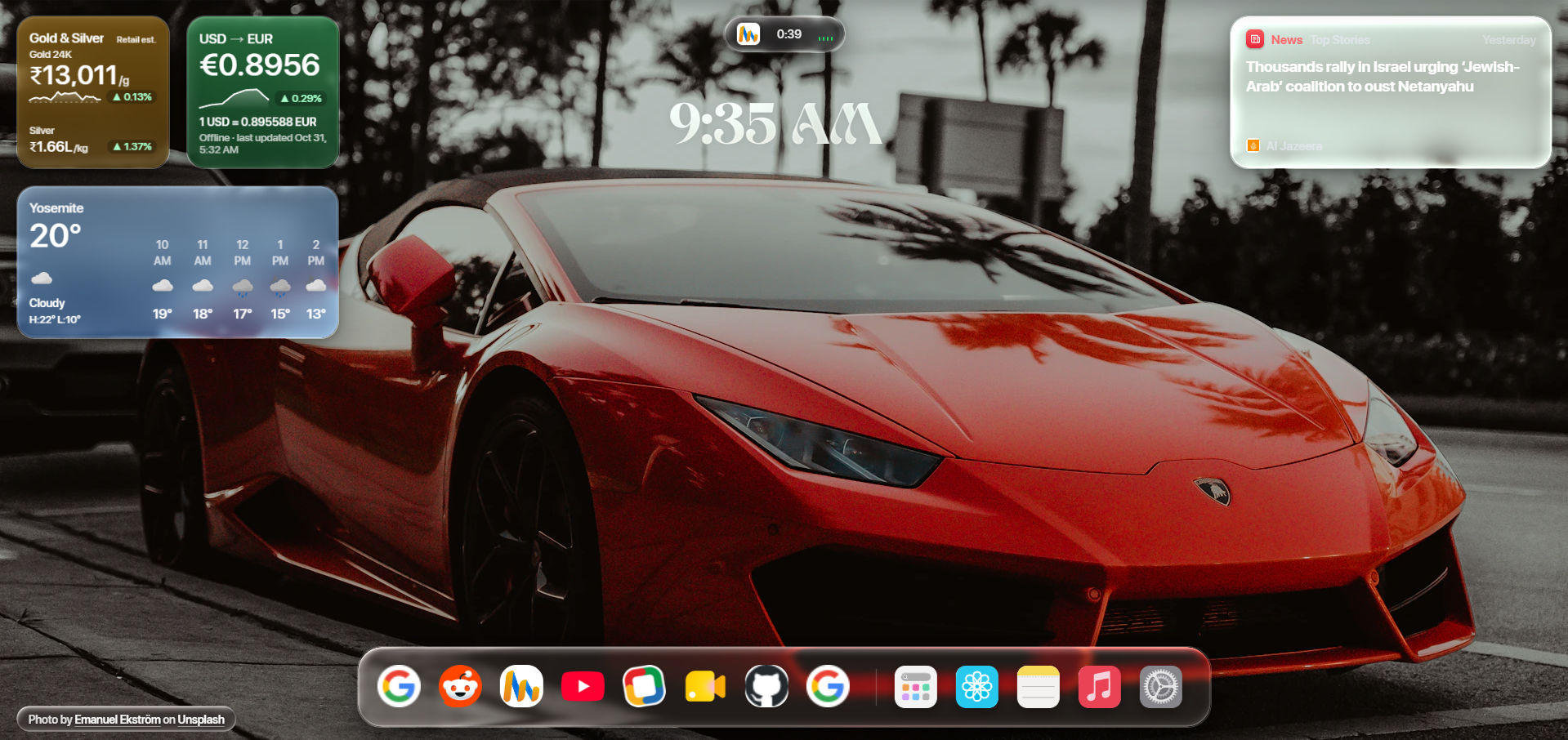
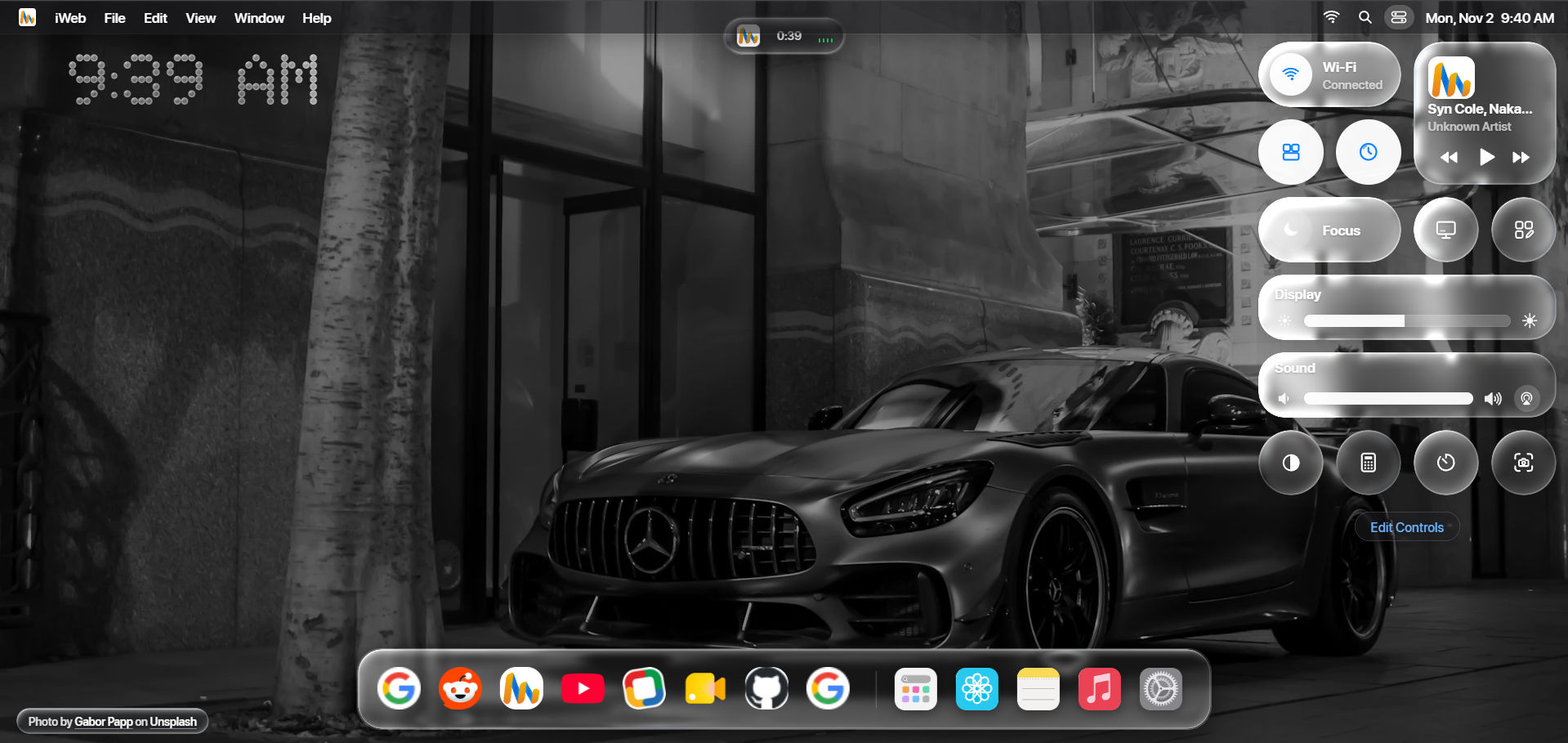
iWeb turns every new tab into a calm, beautiful desktop, with Liquid Glass, live widgets, a Control Center, built-in apps and instant search. It's free, private, and runs entirely in your browser.
⬇ Download the latest release · Try it in your browser · Report an issue
Most new tab pages are a search box and a grid of shortcuts. iWeb gives you a whole desktop, inspired by the design of macOS 26:
- Fast: the desktop is ready in about a third of a second, and heavy features load only when you use them.
- Private: your notes, music library, wallpapers and settings stay on your device. No account, no tracking.
- Yours: move, resize and arrange every widget, choose your wallpaper and clock style, and back everything up in one file.
- Liquid Glass design: frosted, light-bending surfaces across the Dock, windows, widgets and the clock.
- Menu bar and Dock: app menus, keyboard shortcuts, and a Dock for your favourite sites and apps.
- Dynamic Island: see what's playing, and a running timer, at the top of the screen.
- Smooth start: each new tab opens with a quick login-style reveal.
- Weather, currency, gold & silver, stocks and news, with automatic updates.
- Smart Stack: several widgets in one space; swipe or scroll to flip between them.
- Edit Widgets: drag, resize and snap widgets into place, or add new ones from the widget gallery.
One click from the menu bar: Now Playing, volume and sound output, wallpaper brightness, Focus mode, Night Shift, a calculator, a timer, screenshots, and more. Rearrange it with Edit Controls.
- Notes: write in Markdown with a live preview.
- Music: play your local music library, with playlists, shuffle and repeat.
- Markets and News: follow your stocks and read top stories without leaving the tab.
- Spotlight (Ctrl K): search your bookmarks, history and the web, convert currencies and check stock prices as you type.
- Beautiful wallpapers from Unsplash, or your own photos.
- A glass or vibrant-colour clock, custom fonts, and your name in the greeting.
- One-file backup and restore for all your data.
- Automatic updates from inside the app.
- Download iWeb.Extension.zip from the latest release and unzip it.
- Open
chrome://extensionsand turn on Developer mode (top right). - Click Load unpacked and choose the unzipped folder.
- Open a new tab and enjoy iWeb.
Works in Chrome, Edge, Brave and other Chromium-based browsers.
Visit iweb-two.vercel.app and set it as your home page, or install it as an app from your browser's address bar.
Found a bug or have an idea? Open an issue. Every report helps make iWeb better.
© 2026 iWeb. All rights reserved. You're welcome to use iWeb personally; please don't copy, redistribute or republish it without the developer's written permission.
Wallpapers are provided by Unsplash and credited to their photographers. iWeb is an independent project, inspired by macOS design and not affiliated with or endorsed by Apple Inc.