Shell Shock is a framework that uses NextJs's style of file based routing and applies it to command-line applications. When combined with it's extremely customizable theme and template component system, it allows for the rapid development of fully-featured command-line interfaces.
💻 Visit stormsoftware.com to stay up to date with this developer



Important
This repository, and the apps, libraries, and tools contained within, is still in it's initial development phase. As a result, bugs and issues are expected with it's usage. When the main development phase completes, a proper release will be performed, the packages will be available through NPM (and other distributions), and this message will be removed. However, in the meantime, please feel free to report any issues you may come across.
- Quick Features
- Getting Started
- Environment Configuration Help
- Testing
- ☁ Nx Cloud
- Roadmap
- Contributing
- Support
- License
- Contributors ✨
This section contains a quick overview of the features and functionality of the repository.
- Command files under
srcbecome CLI commands.@shell-shock/coreis the build core. @shell-shock/preset-cliand@shell-shock/preset-scriptregister the common plugins.@shell-shock/nxruns clean, prepare, lint, build, and docs targets.@shell-shock/eslint-pluginlints command files.
This repository does not publish a Visual Studio Code extension. .vscode/settings.json associates the acidic language with .acid and .acidic files. That association is editor configuration in this workspace.
If you run into any issues while trying to run any of the above steps, please reach out to Patrick Sullivan. See the Support section for more information.
Once the code is pulled locally, open a command prompt and run pnpm install in
the root repo directory (/shell-shock).
The notice at the top of this file says a public package registry release is still pending. Inside this workspace, packages use the workspace:* protocol.
Create shell-shock.config.ts and a command file. This is the same shape as playground/minimal and playground/cli/src/start/command.ts.
import { defineConfig } from "@shell-shock/core/config";

export default defineConfig({
  name: "my-app"
});
function start() {
console.log("start");
}
export default start;Put the handler in src/start/command.ts. Build a playground with pnpm exec nx build playground-cli. Package pages under packages/*/docs describe each library.
Run pnpm build to build the workspace. That script runs tools/scripts/src/build.mjs --prod. Run pnpm build-dev for the script with --dev.
Run pnpm start to execute nx serve. The root package.json does not define a web server on port 4200. Playground applications are command-line projects. Build one with pnpm exec nx build <project>.
If you run into any issues while trying to run any of the above steps, please reach out to Patrick Sullivan. See the Support section for more information.
Nx packages in the root package.json include @nx/js, @nx/jest, @nx/eslint, @nx/plugin, and @nx/workspace. Shell Shock libraries live under packages/. The CLI presets are @shell-shock/preset-cli and @shell-shock/preset-script.
This repository does not register @storm-software/workspace:app. Add a command file under a playground, or copy playground/minimal. shell-shock.config.ts in that directory sets name to playground-minimal.
The workspace holds the playground applications and the libraries under packages/.
This repository does not register @storm-software/workspace:lib. Libraries in this workspace are the packages under packages/. Their import names use the @shell-shock scope, for example @shell-shock/core.
Add a command by creating command.ts in a folder under the commands root. src/start/command.ts is the start command. This repository does not register @nx/react:component.
Package tests use Jest. Run pnpm exec nx test <project>. The root e2e script is nx e2e.
Run pnpm exec nx test <project> to execute the unit tests via Jest. The root package.json has no test script.
Run pnpm e2e to execute nx e2e.
Run pnpm graph to see a diagram of the dependencies of the Open System
projects.
Nx caches the output of any previously run command such as testing and building, so it can replay the cached results instead of rerunning it. Nx Cloud allows you to share the computation cache across everyone in your team and CI.
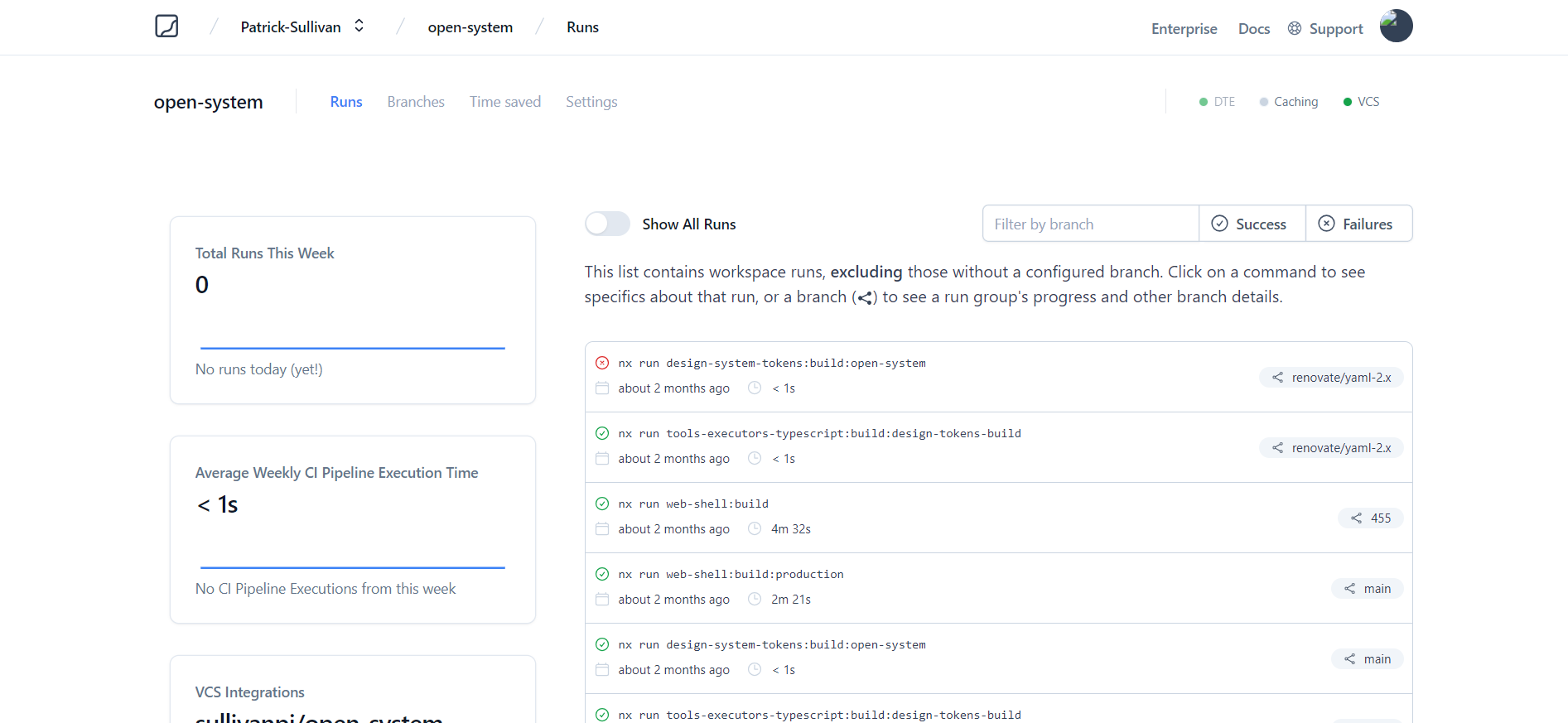
Nx Cloud pairs with Nx in order to enable you to build and test code more rapidly, by up to 10 times. Even teams that are new to Nx can connect to Nx Cloud and start saving time instantly.
Teams using Nx gain the advantage of building full-stack applications with their preferred framework alongside Nx’s advanced code generation and project dependency graph, plus a unified experience for both frontend and backend developers.
Visit Nx Cloud to learn more.
See the open issues for a list of proposed features (and known issues).
- Top Feature Requests (Add your votes using the 👍 reaction)
- Top Bugs (Add your votes using the 👍 reaction)
- Newest Bugs
First off, thanks for taking the time to contribute! Contributions are what makes the open-source community such an amazing place to learn, inspire, and create. Any contributions you make will benefit everybody else and are greatly appreciated.
Please try to create bug reports that are:
- Reproducible. Include steps to reproduce the problem.
- Specific. Include as much detail as possible: which version, what environment, etc.
- Unique. Do not duplicate existing opened issues.
- Scoped to a Single Bug. One bug per report.
Please adhere to this project's code of conduct.
From a checkout, run pnpm install. Run pnpm build to build the workspace. Run pnpm lint to lint. Run pnpm exec nx test <project> for a package test. Package names match project.json, such as core and plugin-mcp.
You can use markdownlint-cli to check for common markdown style inconsistency.
Reach out to the maintainer at one of the following places:
This project is licensed under the Apache License 2.0. Feel free to edit and distribute this template as you like. If you have any specific questions, please reach out to the Storm Software development team.
See LICENSE for more information.

Thanks goes to these wonderful people (emoji key):
 Patrick Sullivan 🎨 💻 🔧 📖 |
 Tyler Benning 🎨 |
 Stormie 🚧 |
||||
 Add your contributions
|
||||||
This project follows the all-contributors specification. Contributions of any kind welcome!

Storm Software is an open source software development organization and creator of Acidic, StormStack and StormCloud.
Our mission is to make software development more accessible. Our ideal future is one where anyone can create software without years of prior development experience serving as a barrier to entry. We hope to achieve this via LLMs, Generative AI, and intuitive, high-level data modeling/programming languages.
Join us on Discord to chat with the team, receive release notifications, ask questions, and get involved.
If this sounds interesting, and you would like to help us in creating the next generation of development tools, please reach out on our website or join our Slack channel!